

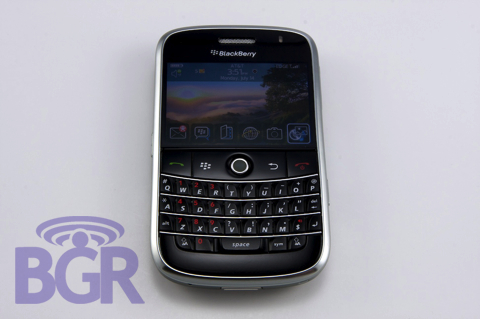
This might be a shocker out there to many, but we do actually, you know, not leak things from time to time. What’s important here, is that we’ve been rockin’ a BlackBerry Bold for around a month now, and we’ve got a great handle on the unit. From hardware to software, this is going to be the most complete BlackBerry Bold review, period. If you’re really ready, hit the jump. You might need a couple cigarettes and a cup of coffee — it’s long!
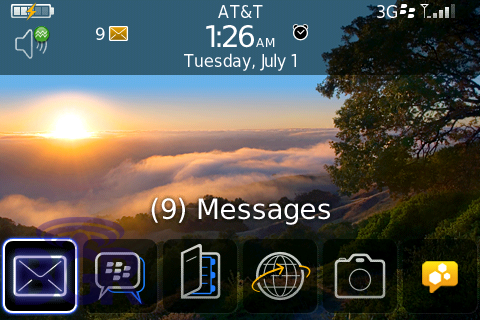
RIM’s BlackBerry Bold 9000, huh? We knew it was coming since October of last year ever since we broke the news, and since then, this has been the BlackBerry communities iPhone. Sorry for an iPhone reference so early on in the review, but it’s true. This is the device every single BlackBerry user has been waiting for. Finally a BlackBerry that “has it all.” 3G, GPS, Wi-Fi, QWERTY keyboard, camera, great screen, clean styling, and more. Since this has been our day to day BlackBerry exclusively, we’ve been through a lot of ups and downs with the Bold. Here’s a recap on our first day with the Bold, followed by our full review…
Remember all that talk about overheating and battery drain? It definitely wasn’t crap — we’ll tell you that! Even still, the device gets a little warm, but nothing to get too concerned about. RIM has made strides in regards to updated software builds for the Bold. Let’s bring you back to when we first got the device, ok? We thanked our very friendly FedEx Sameday delivery man (or delivery person since there’s this cute female that sometimes brings us goodies… anyway) and proceeded immediately to remove the SIM card and microSD card from our BGR edition BlackBerry Curve 8310. After that, we took a bat to it, Office Space style. Once the battery was installed in the Bold, we patiently waited for the unit to turn on.
One minute went by. Then two. Then three. What in the heck? Isn’t this supposed to be at least double the speed of the older models? When the unit finally powered up, we were greeted by the usual Setup Wizard. After canceling out of that (I can remove languages manually, athankyou) it was time to explore the device. At first glance, the first thing you’ll see is obviously the gorgeous screen on the 9000. We can safely say that this is the best screen we’ve ever seen on a mobile device. Hands down. So, yeah, after messing around with a couple applications and exploring, it was time to turn on wireless and connect to AT&T’s mothership. 5 bars of service showed up with the GSM indicator. Then EDGE. Oh boy, we’re so close! Finally 3G appeared. We were in business! But not so fast. No sooner than the 3G indicator showed up, the device for some reason restarted. All ‘Berry lovers will know this all too well. Red LED, black screen. After waiting for another three or four minutes for the device to power up again, the same thing happened! Everything was ok until we tried to turn wireless on. Oh bother. What now? The Bold did this in an endless loop for a good two hours. The battery was only at 40% so we figured we’d let it keep passing out until it was fully charged. Bad plan because that didn’t help. After managing to sneak in right at start-up and turn off wireless mode, the device was stable again. Great. What good is a BlackBerry as a PDA? Don’t answer that. By now we practically had a gun pointed to our heads. We messed with a Bold before, but we can’t even use our first unit? After a quick call to one of our BlackBerry ninjas, we were promptly sent an updated software build. Now it was time to update the OS.
We opened up Desktop Manager 4.5 and proceeded to update the device. This part totally blew us away! Gone are the days of a 30-45 minute backup and update. It probably took no more than 6 minutes to backup the device, erase the applications, load the system software and what not. The only part that took a little bit was waiting for the device to initialize after everything was done. As soon as we booted up with the new OS, we were good! The Bold connected to the network just fine and we did our enterprise activation. First thing we did? Check out BlackBerry Messenger! God knows if there’s one thing making us keep out BlackBerrys… The new client isn’t drastically different but has some semi-cool additions. For instance, the layout is the same but graphics for online, away, and unavailable have changed. You can set an alert so you are notified when a buddy comes back online, and you can broadcast a message to everyone you have an open conversation with. Digging a little deeper into Messenger, we found that you can enable an option to change your status when you are on the phone, and even change your status automatically to reflect whatever MP3 you are playing on the device. Totally iChatish, but not that bad.
After Messenger, it was on to the browser. At first, nothing looked different at all. That was until we brought up BGR on it. The BlackBerry web browser has indeed been redone to act more like a web browser and not a piece of garbage 1990’s WAP browser. Pages render awfully quick over 3G, and even on EDGE. They are formatted 90% of the time correctly and images look sharp and crisp. You’ve now got new controls with the trackball. Instead of just a mouse cursor like before, the default setting is a zoom key. Just scroll over what you’d like to zoom into, press the trackball and zoom. This can also be achieved by pressing “i” and “o” for zoom in and zoom out respectively on the keyboard.
We fired off some emails on the keyboard, made some phone calls, and started to sit back, relax, and have fun with our new BlackBerry Bold. Battery life improved 10 fold when the new OS was installed, and the overheating we noticed quickly dissipated. It still gets a little warm when you’re freakin’ it, but oh well. Here’s the full review on the device and the most recent software build. We’re not basing the review on the extremely crappy builds before this.
Design:
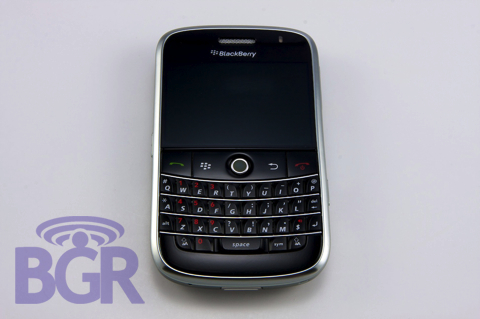
Some might say it looks awfully like an iPhone. But not Mr. Lazaridis. According to him, every BlackBerry device is “three years in the making.” They couldn’t possibly have made the device around the iPhone since they started it three years ago, right? In all seriousness, it has a couple similar design features like a chrome border around the unit and black front, but it really stops there. We don’t think they said to themselves, “let’s copy the iPhone.” The chrome you see on the Bold is nothing more than cheap plastic that scratches very easily, though.
Screen:
We said this before, but this really is the screen to beat. It might be a little too “contrasty” at times, if you know what we mean, but overall, it steals the show. It is the most vibrant, color-rich, sharp screen we’ve ever seen on a mobile device. It can be extremely bright if that’s how you like it, or subtlety lower. The auto-dim features on BlackBerry devices let the screen adjust to your surrounding so it doesn’t disrupt you. One major problem with the screen, though? It, like the chrome border around the device, is made of cheap plastic and scratches incredibly easily. We kept the Bold in either pants pockets with nothing else in there or a BlackBerry leather holster. After only a day or so, scratches started to appear out of no where on the gorgeous display. They better ship this thing with free scratch protectors!
Keyboard:
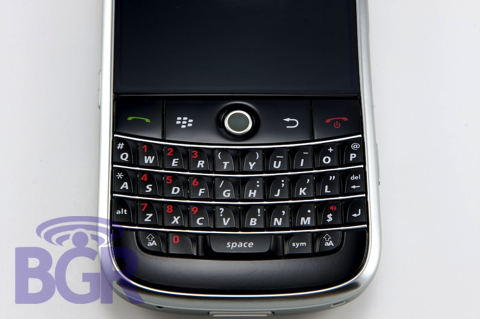
If you know us, you know we don’t let keyboards off easy! And if there is anyone who understands keyboards, it’s usually RIM. Think of the 9000’s keyboard as a cross between the 8800 and the Pearl. The keys are pretty large in size, a little squishy, but still firm. They are not plasticky-feeling like the Curves. After only around 10-15 minutes we found ourselves typing almost as fast as were on our 8310. The layout of the keyboard is exactly the same as you’d find on other BlackBerrys. Even all symbols and other markings are in the same spot. This makes it easy to jump right into the device. The send, BlackBerry, back, and end keys are abnormally large, though. It’s not bad. It’s just awkward for some reason. They all work fine, but we can’t figure why RIM decided to make them so big. Possibly a design situation where they had an overall device size ready, couldn’t make it any smaller, and ended up filling the dead space with larger keys. Keyboard back-lighting is great, too. Just the accents, letters, and symbols light up white. Not the entire key like the Curve.
Connectivity:
Every BlackBerry users’ dream lies in the Bold. 3G data, GPS, and Wi-Fi make this a hit. Unless you’re really trying not to be found, there’s a good chance the Bold is going to help you stay connected no matter where you are. A-GPS in the Bold works wonderfully, always getting a fast and accurate lock on location whenever requested. The included BlackBerry Maps works well, but since TeleNav hooked us up, we’re using that for the moment without a hitch. Er, AT&T Navigator. If you’ve ever used a BlackBerry with Wi-Fi, it’s pretty much the same concept. Select a Wi-Fi network and off you go. This is especially useful when you’re in a low or no coverage area yet have access to a Wi-Fi hotspot. We found no issues while using the 3G cell network and Wi-Fi at the same time, though it was actually using Wi-Fi for data. You can’t use Wi-Fi if you turn the cell radio off, but you can use Wi-Fi when you have no cell signal. Food for thought? We’ve noticed that sometimes while using Wi-Fi, the device will lose connection to the BlackBerrt network on the cell network. Possibly a battery-saving enhancement?
OS:
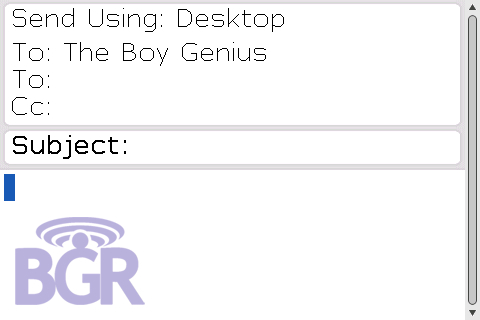
We said this from the start… the 4.6 OS is 99% the same as your current BlackBerry. Assuming you’re not using an 8700 or something like that. Little things have been tweaked to make using the device a little easier and quicker, but for the most part, you’re basically looking at a skin on the top level. That’s not to say there haven’t been some changes beneath the surface, but for the average BlackBerry user, you’re not going to really notice anything besides the semi-pretty UI enhancements. It’s now July 15th, and even running the latest 4.6.0.93 build, we’re still pulling the battery out a good 10 times a day. Why? Between the constant java errors, and the BlackBerry completely losing service and informing us it’s “Searching for Network…”. That’s why. What’s sad is that even with this bad-ass 624MHz CPU, we still get slow downs and we still get freezes. Don’t get it mixed up, it is 100% faster than any other BlackBerry. We just can’t understand why this thing isn’t really optimized like it should be. Ah! Because the OS is from 1999. That’s it.
Applications:
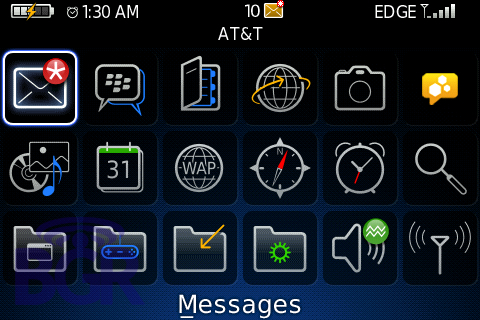
Again, mostly top level stuff, but there have been a couple added applications. These include WordToGo, PowerPointToGo, WordMole, and a couple other games that have been around for a while. There’s something beneath the surface called BlackBerry Game Service, and what this does is allows true multi-player games over either the cell network or Wi-Fi. We beat the crap out of our friend in WordMole who was half way across the country. Sorry, buddy. One of our favorite applications, if not the favorite, is BlackBerry Messenger like we said before. In the updated BlackBerry Messenger, you’ll find added functionality such as being able to broadcast a message to all open conversations, letting your status change automatically when you’re on the phone, and also changing your status to reflect whatever song is playing on the media player. HTML email is obviously a go assuming you’re on a BIS 2.5 carrier or your company has hacked HTML email back into BES 4.1.5. Totally awesome feature, though? If you’re downloading an attachment and highlight that email, it will show you a status bar indicated how far along the download is. Welcome to 2008, RIM. Now could you please stop being pansies and show us a progress bar for outgoing messages please? You know, some of us actually like to send videos and pictures and what not. Oh yeah! Video over BlackBerry Messenger too, while we’re at it. Kthnkz.
Browser:
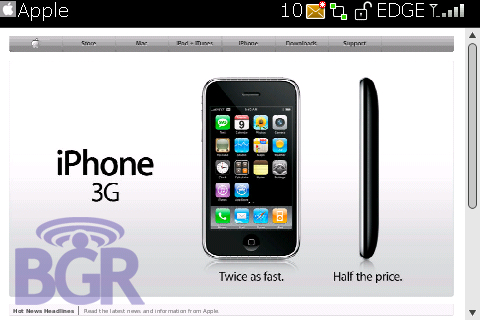
The web browser was actually one of the last things ready on the Bold as we were told. The earlier versions had a browser nowhere near what we’ve been using, and we have to say… it’s pretty darn good! It’s no iPhone, but it definitely does the job. Any BlackBerrry user whether corporate or consumer will definitely appreciate the new browser’s improved rendering, speed, and controls. It actually shows web pages how they are supposed to be shown, but the navigation can get a little tiring. Instead of the regular mouse pointer that we’ve been used to lately, the pointer is now by default a zoom in pointer. A couple clicks of the trackball, and you’ve zoomed into the web page. Sometimes the page will reformat to the screen, sometimes it won’t. Forget about Flash or anything sexy, but the browser has definitely been upgraded pretty nicely.
Battery life:
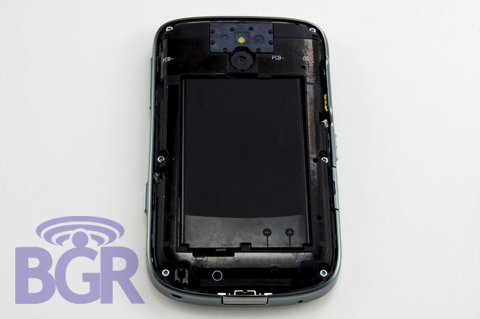
Another concern possible Bold buyers have is battery life. There’s been so much information floating around, what’s the real story? Up until around 3-4 weeks ago, every build of the OS we tried had major battery problems. Random restarts, device totally dead within a couple hours, etc. With the latest software version, we can safely say we’re getting as good or better battery life than we did with our Curve. Yes. Isn’t that awesome? Thanks to 1500mAh battery and a crap load of engineering on RIM’s part, they’ve finally got it nailed down. To give y’all a little usage detail: 300-500 emails a day, one hour of web surfing over 3G, Wi-Fi usually turned on, Bluetooth turned off, JiveTalk connected, and around one hour of phone calling (we don’t really use the BlackBerry as a phone) lasted us from 9AM until 4:30AM.
Sound quality:
RIM is trying to step it up in the sound department, and it shows. Instead of a covered speaker like the Curve, there are speaker grills on both sides of the device, and also on the top as well. Sound quality from playing back music sounds decent. Not great, not terrible. It could be a little louder, but even as it stands, music is still distorting on the loudest volume setting. Also, the speakerphone volume could definitely be louder as we found it lower than our Curve.
Call quality:
We’ve found call quality to be fantastic. It’s definitely the most phone-like BlackBerry to date. People we spoke to sounded crystal clear and they said we sounded great. The earpiece volume was also sufficiently loud, so there should be no problems there. That 3G network is also probably helping a lot with call quality as well, no?
Build quality:
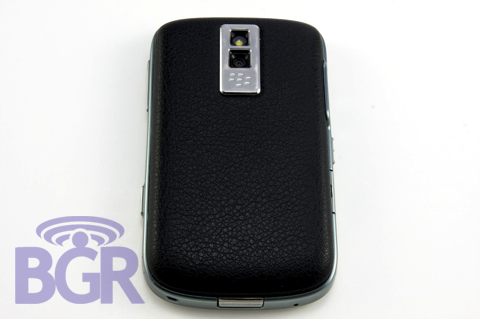
This one is a tricky one. We have a production hardware unit, and the trackball can get a little shady. Then again, don’t all BlackBerrys? There are no creaks with the device, and it seems sturdy as heck. The screen could possible be an issue as it looks like it’s a cheap plastic, and the “chrome” border around the body is also a lower-grade plastic. At least it seems that way to us. Expect for the screen to be scratched to all hell, and for nicks, scrapes, and dents to show up on the device body. On our unit, the back battery cover is a little loose towards where the release button is and kind of moves in and out when you press it. We’re not sure if that will be resolved when the device is released, but it can definitely get kind of annoying. We wouldn’t call the Bold fragile but we don’t think its built as well as the Curve.
So what do you guys think? Happy with our review? Want a Bold even more now… even less? Sound off. And look for some more posts on the Bold coming shortly.


