

How To Safely Clean Your Blu-Ray Or DVD Player
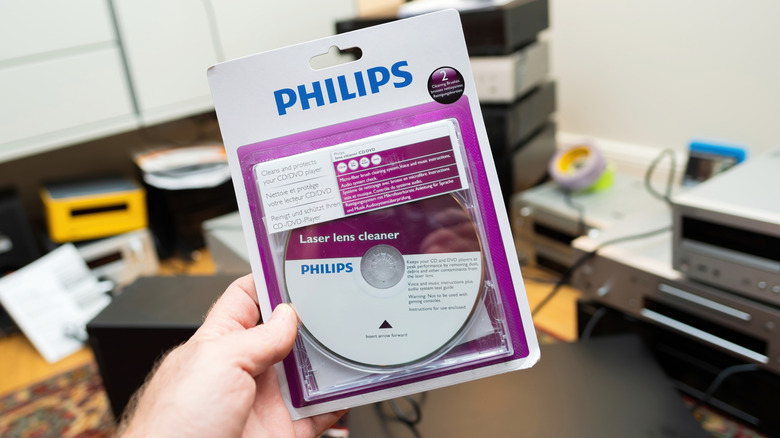
Whether you've kept hold of your DVD and Blu-ray collection or are getting back into physical media with a used or new player, knowing how to safely clean the machine's lens is essential. There's not really any universally recommended schedule for this process, but there's some good advice from Panasonic, a company with a long history of optical disc technology, and one which still makes Blu-ray players.
On an optical disc player, the lens focuses the laser beam that reads the information stored on a DVD or Blu-ray disc, and over time it can accumulate dust or dirt. The Japanese tech firm recommends cleaning the lens around once a year, depending on how often you use your player. Of course, it may be that you need to clean the lens before 12 months pass, especially if your discs start experiencing playback issues like skipping or freezing. Likewise, if playback errors appear on the machine's display, or the picture or sound quality drops, then cleaning the lens might resolve the issue. Long load times could also be due to a dusty or dirty lens.
You can clean the lens on a DVD and Blu-ray player using a lens cleaning kit, which, from reputable makers, can cost anything between $8 and $20. A lens cleaning kit usually comprises a disc with tiny, soft brushes attached to its surface. As the disc spins inside the player, the bristles make contact with the lens, helping to dislodge any material that's accumulated on it. Before you buy a cleaning kit, check that it's compatible with your particular player. Once inserted, press play and let the disc run through its cleaning cycle, following any additional instructions supplied with the kit.
How to perform a more thorough clean
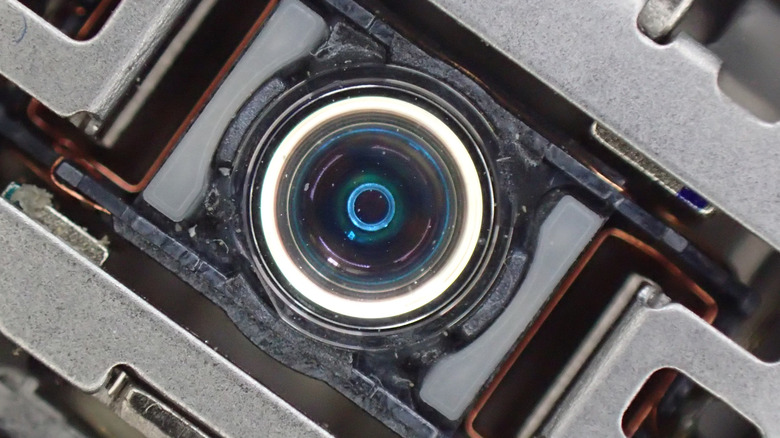
If a disc cleaning kit fails to sort out playback issues, you may want to try a more thorough manual clean using a special cleaning swab and an appropriate cleaning solution. Some manufacturers recommend using alcohol-based liquids for particular models, while others advise against it. Before proceeding, check your player's manual or the manufacturer's website for approved cleaning methods and materials, as some could damage the delicate optical lens or its coatings.
Once you're sure that it's safe to proceed, unplug the player and allow it to cool down if you've been using it. Remove the screws from the machine's casing and gently lift it off, though be aware that you may have to push some clips to fully release it. Next, locate the optical disc assembly and the lens, which should resemble the image above. Using approved cleaning materials for your particular player, gently clean the lens according to the manufacturer's instructions, being careful not to apply pressure or scrub the lens surface. Once the lens is dry, return the casing and test the player with one of your discs to find out if the playback issues have been resolved.
Take note, though. Manual cleaning must be carried out with great care and attention. DVD and Blu-ray players contain plenty of delicate components, and some also have internal power supply parts that can retain an electrical charge even after the machine has been unplugged. Check the player's manual for advice on manual cleaning, and if none is given or it warns against removing the casing, then consider taking your machine to a professional repair technician.
If it's not a lens issue, it could be the disc
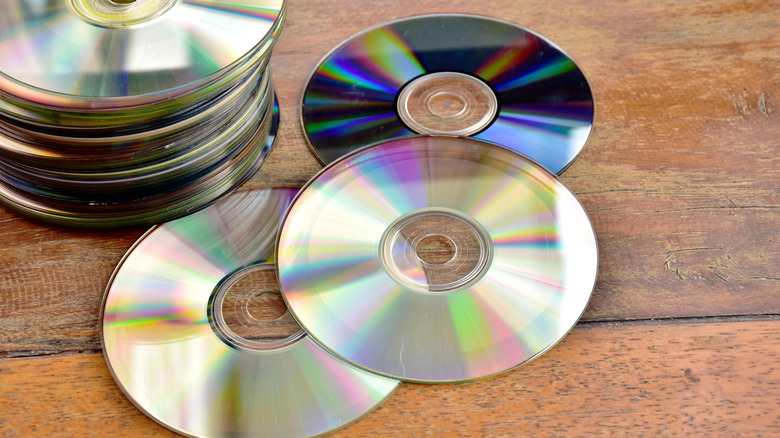
Sometimes, it's not the player's lens causing playback issues, but the disc itself. Over time, poorly handled discs can accumulate fingerprints, greasy marks, dust, and other debris, making it a challenge for a DVD or Blu-ray player's laser to read them. In a case where your machine is failing to read a particular disc, then provided that it hasn't suffered a deep scratch, a good clean might sort it out.
To clean a disc, hold it at the edges and, using a clean, dry microfiber cloth, move it methodically from the center to the outer edge, working your way around the entire disc. Be sure to avoid circular motions as any tiny particles trapped in the cloth could scratch the disc along its circular data tracks, making it harder for the laser to read the information. Any scratches that occur across the disc when wiping from the center outwards are usually easier for the laser to handle.
If your disc isn't playing properly and it contains visible scratches, you could also try using a disc repair machine or a manual kit. A repair machine, for example, works by smoothing and polishing the disc's protective plastic surface, helping to reduce the scratches that may be preventing the lens from successfully reading the data. The machines can, however, be pricey at a few hundred dollars, and aren't guaranteed to fix a scratched disc that a player is finding hard to read. With that in mind, if you only have one or two damaged discs that you really want to try to mend, then, once again, a professional service may be the way to go.