

These 5 Major Fitbit Features Hide Behind A Paywall
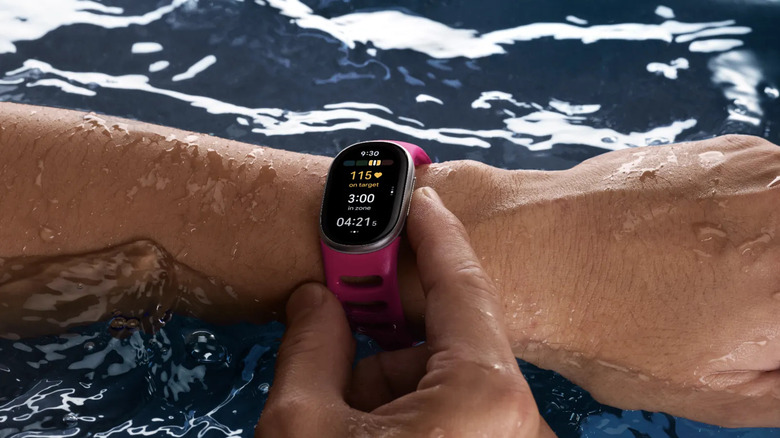
Under Google ownership since 2021, Fitbit has delivered a few new wearables in the last year, including the Fitbit Air and Fitbit Edge. These and older-model Fitbits that are still in circulation, along with Google Pixel smartwatches like the new Pixel Watch 5, have all transitioned from the Fitbit app to the new Google Health app. There is a subscription tier called Google Health Premium, but unlike devices like Whoop, it isn't mandatory. You can use a Fitbit with the free Google Health app. However, you miss out on some of the most enticing features without upgrading.
Google Health Premium is a significant upgrade that, most notably, unlocks the AI assistant Ask Coach as well as deeper analysis of things like sleep, guided coaching, nutrition tracking, and more. Without Premium, you get basic activity tracking, heart rate data including live heart rate and heart rate variability (HRV), breathing rate, SpO2, and health and wellness logging features. This is fine if you're looking for a simple experience. But if you want more, you'll need to dole out $9.99 per month for Google Health Premium. But based on my experience, what you get is pretty enticing.
Google Health Coach
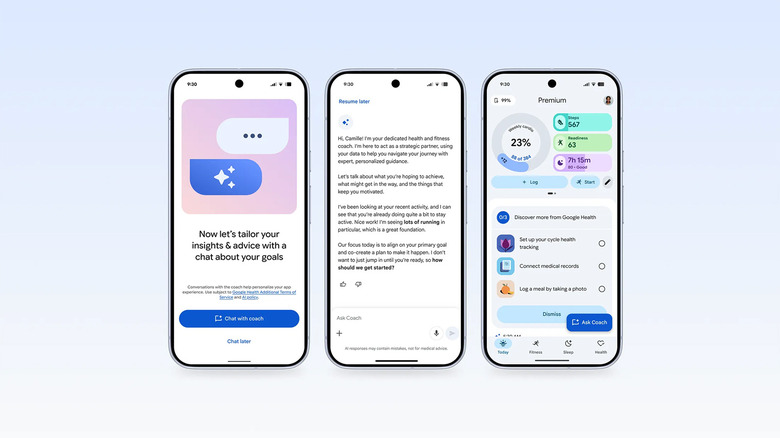
When you download the Google Health app and sign up for Premium, you're asked a series of questions to help you get started on your journey. These include details about your goals (to lose weight, get better quality sleep, or be more active, for example). You can discuss how often you exercise, where, and what equipment is at your disposal, like a workout bench and dumbbells at home or a gym membership with machines. You can provide relevant details about your overall lifestyle, like if you travel a lot, how much sleep you usually get, and what your usual routines are, like sitting all day in an office. From here, it can help you devise a plan.
The insights Google Health provides are extensive. Over time and continuously, it gathers data from metrics it measures along with information you input. Then, it takes this all into account to deliver contextual advice and relevant messaging. It might let you know what type of workout you should do to maximize both your goals and address recovery, or recommend a light walk if your body is under stress. The underlying purpose is to provide motivation, encouragement, and advice to help you improve.
Ask Coach
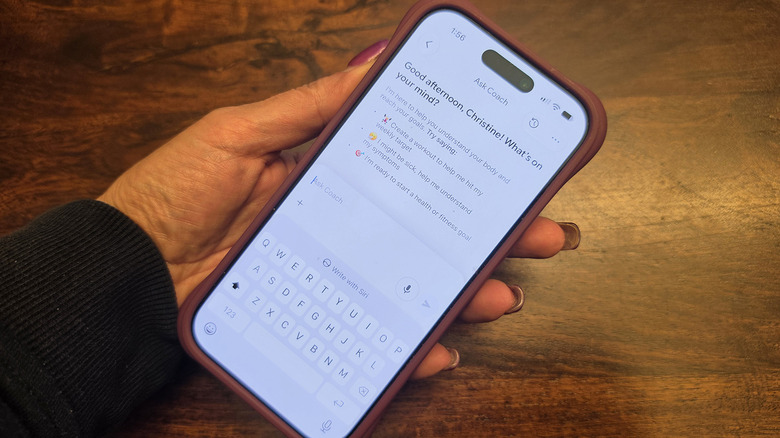
Part and parcel with the system-wide Google Health Coach is the Ask Coach AI assistant. Tap the Ask Coach button on the bottom right at any time to start a conversation. It will provide an answer or insight, and if necessary, factor in captured data for context. You can ask it to log something, like a stressful moment, or modify a workout to add the specific exercises you did, including how many reps of each and what weights you used. I have asked questions like how to work around a shoulder injury or what I should have for dinner based on what I ate for breakfast and lunch, and it can pull from historical data to answer accordingly.
I use Ask Coach to log meals and have tried creating a workout. It will compile a series of moves to fit your goal and fitness level, like an upper body strength workout or a 20-minute cardio session. I have asked how to reduce extra stomach weight (it advised, among other things, that lack of sleep results in abdominal fat storage) or how to deal with a sinus headache (it recommended seeing a primary care provider and at-home relief remedies like steam inhalation, nasal rinses, and hydration). It's worth noting that the feature does not provide medical advice nor diagnose issues, and the data is not a replacement for consultation with a medical professional. But Ask Coach is one of the most comprehensive health and wellness AI systems I have used to date.
Deeper sleep analysis and insights
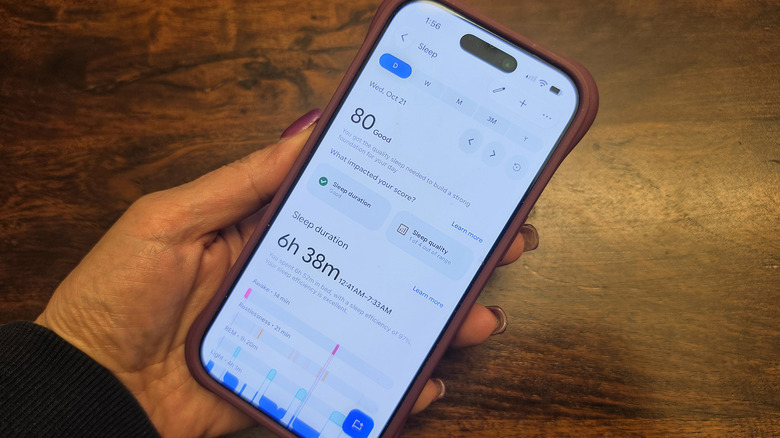
With the free app, you get basic sleep data, including how long you slept, time spent in sleep stages, sleep quality, core vitals and metrics like sleep heart rate, and breathing rate. But Google Health Premium takes it a step further. Besides the numerical sleep score out of 100, which is also available on the free plan, it provides personalized sleep summaries and a descriptive word that summarizes your sleep, like "fair" or "good." You can also leverage Ask Coach for further analysis of this data on its own or as it relates to other health metrics.
Additionally, personalized sleep summaries and coaching help you get a better night's sleep. For example, it might remind you at a certain time that you should turn in soon for the best recovery the next day, or to make up for a poor night's sleep the night prior. Or the summary may warn that you probably won't feel energized because of poor sleep or, conversely, that good sleep has helped you build a strong foundation for the day.
Health Guardian
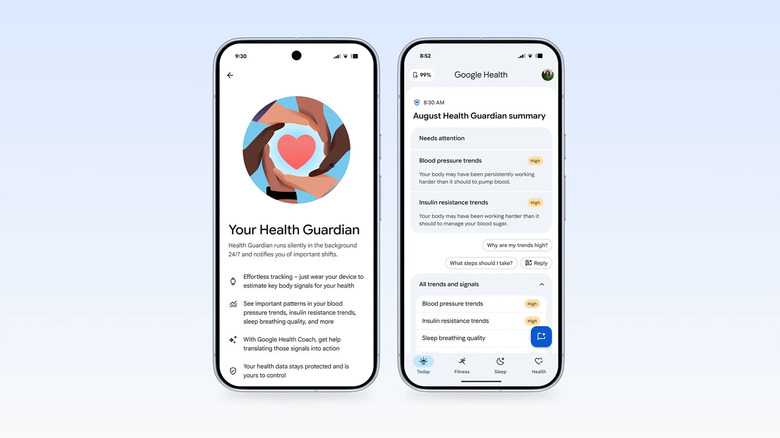
A recently unlocked feature, Health Guardian is one of the cool new features that will also work with compatible Fitbit devices like the Fitbit Air and Fitbit Edge and is already available for free on several Pixel Watch models now. It monitors key metrics to send monthly reports so you can take proactive measures and seek medical advice if anything is amiss. While a basic version of Health Guardian that tracks high and low heart rate, irregular rhythm, and more is available for compatible Fitbit devices, the premium plan unlocks blood pressure tracking and insulin resistance trends.
It works in the background to detect physiological changes that might suggest something is off and let you know so you can take action, keep an eye on it, or bring it up at your next doctor's appointment. The overall goal is to track subtle changes in insulin resistance, an indicator of metabolic health, and blood pressure for potential signs of heart or kidney issues. Sleep breathing quality trends (available on Pixel Watches), meanwhile, can help you understand how changes in your breathing at night might be impacting your quality of sleep and subsequently your energy and recovery the following day.
Nutrition tracking
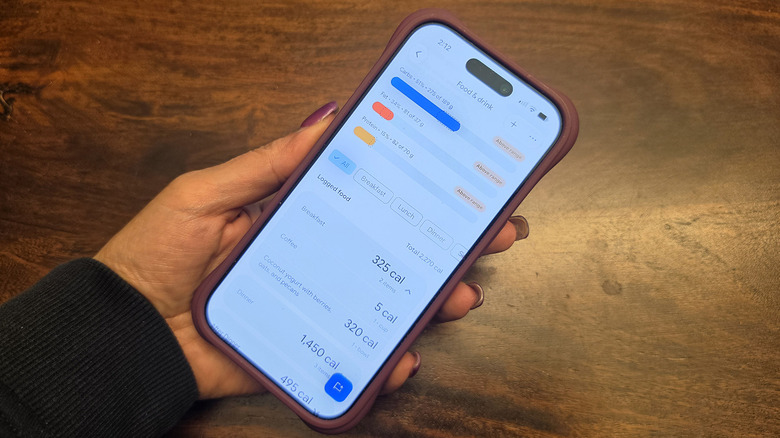
One of my favorite features is nutrition tracking. It's not unique: many other wearables offer this in their companion apps, and as with other features, Google too offers a limited version for free. But paying for Premium makes the feature so much easier to use. While you'll need to log all your meals and water intake manually in the free plan, the premium version unlocks some additional handy ways to do it. For instance, in Ask Coach, you can tap the microphone button and say "I had a black coffee with a banana and a protein bar," and it will log the food in your diary, noting the calories, protein, carbs, and fat content of each item as well as the total. You can modify details like portion size or add toppings for a salad or hamburger so the data is as accurate as possible.
Even simpler than Ask Coach is using your phone's camera to snap a photo of your food before you chow down. It intelligently determines what it is. It works well and you can modify details if needed, like clarifying that your sandwich has gluten-free bread or your yogurt is non-dairy. You can also track calories consumed in relation to calories burned, see the remaining calories towards your daily target, and check if you're in a deficit. The feature also allows you to monitor protein intake alongside fat and carbs and even log hydration to ensure you're drinking enough water. Because of how easy it is to use, you're more likely to actually use this feature than you might be with other apps that only use barcodes or manual input.