

5 Free Apps You Need To Install To Get The Most Out Of Your AirPods
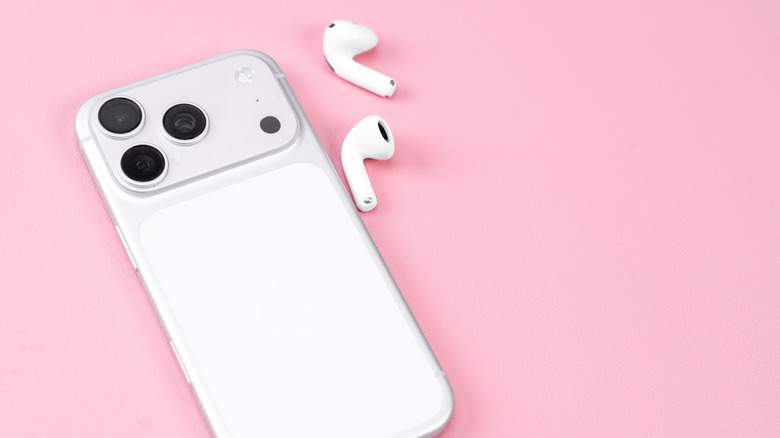
Listening to music and podcasts is the most common way people use the AirPods. But dig a little deeper into the AirPods settings, and you'll uncover some clever things you didn't know you can use your AirPods for. For instance, there's the Camera Remote, which lets you use your AirPods as a remote control for your Camera app. You also have Hearing Assistance, which is designed to make calls and the environment sound a lot clearer for those with hearing impairment. The AirPods settings even include other non-music-related functionalities like call controls, Siri activation, and live translation.
But besides these unique capabilities that you can readily access out of the box, there are more things your AirPods can do with the help of some free third-party iOS apps. These apps utilize the built-in sensors on the AirPods to make the earbuds useful for all sorts of other applications beyond listening to songs and podcasts. If you're looking to use your AirPods to their fullest potential, here are five iPhone apps you should install.
Soul Trace
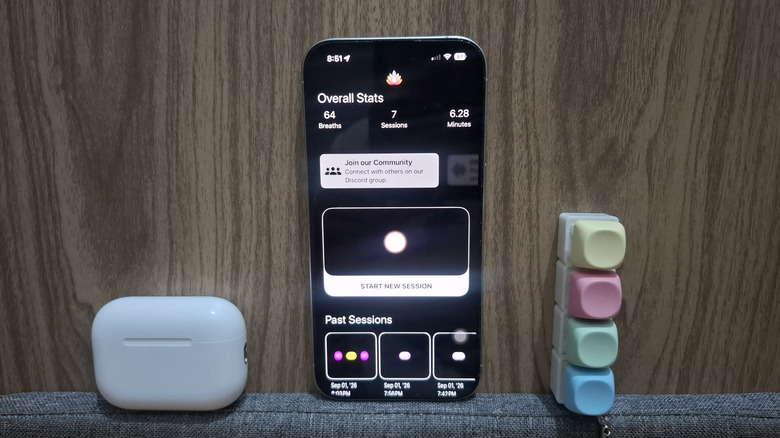
Soul Trace is a meditation app unlike any other on the App Store. That's because it doesn't merely play background sounds as you meditate. Instead, the app syncs its audio and visual cues with your breath. It does so by relying on your AirPods' head-tracking feature. With the built-in motion sensor in the earbud, Soul Trace can tell whether you're inhaling or exhaling. It then syncs that action to the glowing dots it shows on the screen and the audio that plays through your AirPods. When you're inhaling, the dots move downward, and the audio seems to be moving down too. When you're exhaling, the opposite happens. The dots and audio move up. This makes your meditation session more immersive and helps you stay focused.
Soul Trace keeps a history of your meditation sessions, each one complete with some relevant insights on how you did. Just open one of your sessions under the Past Sessions section, and you'll see your total meditation time, the number of breaths you took, and your estimated breaths per minute rate. You'll also find other data here, including your breathing cycle phases (a graph of how long you inhaled, held your breath, exhaled, and held again), holding phases, breathing phases, and breathing and holding.
By default, Soul Trace plays water sounds during your meditation. You can, however, change it to one of the other eight available sounds, such as wind, fire, bell, tanpura, chimes, white noise, music, and mantra.
Jumpee
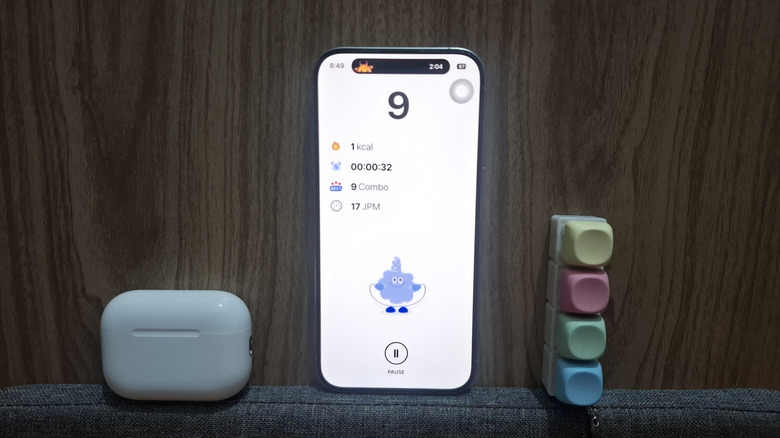
Jumping rope is one of the simplest yet most effective ways to get exercise in. If you're into this workout and want a better sense of your progress each session, Jumpee is one of the essential fitness apps you should install. Jumpee uses the motion sensor in supported AirPods (AirPods Pro models, AirPods 3 and later, and AirPods Max) to automatically keep track of your number of jumps. It also records how long your jumping rope session is, how many jumps you did per minute, and how many calories you burned. You'll see all this data on your phone during the workout.
Other than the on-screen data, Jumpee also gives you audio cues about your progress through your AirPods. You can set the app to beep for every jump you do and tell you the current count every ten, 20, or 100 jumps. The app settings also include a volume slider, so you can customize how loud the audio cues are.
In our tests with AirPods Pro 3, Jumpee counted pretty accurately. You don't really need to jump too high for it to register on the app. The AirPods are sensitive enough to count just the regular jumps. Another plus is that Jumpee works even with a single AirPod in, and it lets you listen to YouTube Music, Spotify, or your preferred music streaming platform while you work out.
Jumpee is a free iOS app. But on the downside, it continuously shows ads on screen. You'll also be prompted to watch an ad to save your workout data after every session. If you want to use the app ad-free, you'll need to subscribe to either the monthly or yearly plan.
Posture Pal
When it comes to your health, posture is probably the last thing you worry about. But you shouldn't overlook it. According to Harvard Health, when you have poor posture, you're more likely to experience back pain, headaches, and limited oxygen intake. To avoid these health complications and look more poised, you need to be mindful of your posture. A free iOS app that can help with that is Posture Pal.
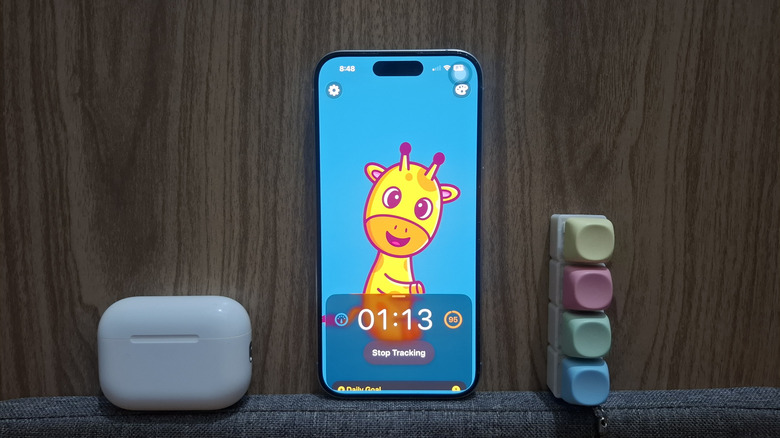
Using your AirPods, Posture Pal can monitor your head position to check whether your posture is good or bad. If it catches you slouching, you'll hear a short warning sound and the screen turns red. If you keep good posture, the screen stays blue, and you won't get the annoying beeps. You can readily adjust the sensitivity of Posture Pal's posture tracking feature and choose between high, medium, and low. High sensitivity detects even the smallest downward tilt of your head, while low sensitivity is more forgiving and won't flag poor posture unless you're really dropping your head.
Posture Pal's tracker can run indefinitely, but you can also choose to track your posture for one, five, or 10 minutes. You can also choose 15, 30, or 60 minutes, but those require a Posture Pal Pro account. To make Posture Pal work, you'll need AirPods with motion sensors, which include AirPods 3 or newer, any AirPods Pro generation, and AirPods Max.
WaterDrop
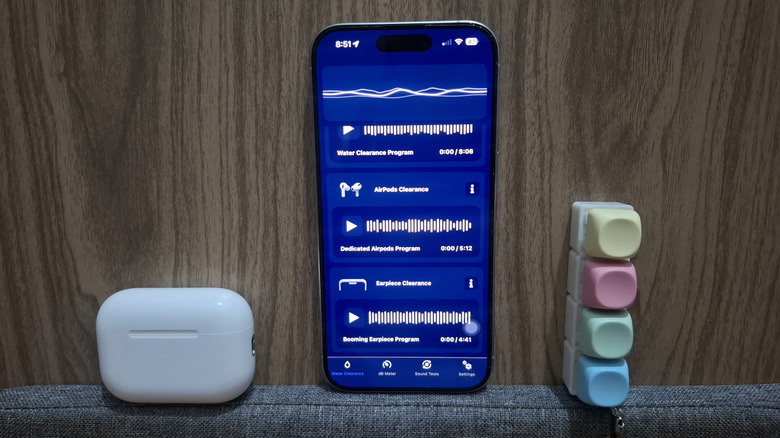
You wouldn't normally use your AirPods out in the rain or by the pool. But on those rare occasions when you do, there's a good chance that water will get into the earbuds. That can easily ruin your headphones' sound quality. That's why it's a smart idea to install the WaterDrop app on your phone. It plays your chosen frequency — either 120Hz, 160Hz, 300Hz, or 500Hz — to make the AirPods vibrate enough to expel water from the tiny speaker. You can start with a lower frequency first, then move onto a higher frequency after a few minutes. Make sure the volume is set to max, the earbuds are removed, and they're tilted down for optimal results.
In addition to the four frequencies, WaterDrop includes a dedicated sound to remove water from your AirPods. It plays a steady high-frequency tone specifically optimized for AirPods. This feature is locked behind a subscription, though, so if you're on the free version, you'd have to make do with the four free frequencies.
Since you won't be wearing the AirPods while using WaterDrop, you'll need to turn off Automatic Ear Detection. This way, the sound will still play through the earbuds even while they aren't in your ears. To disable Automatic Ear Detection, navigate to your iPhone Settings and open AirPods at the top. Under Audio, toggle off Automatic Ear Detection.
In terms of performance, users reported that WaterDrop worked well for their wet AirPods. One mentioned they only had to play the dedicated AirPods tone once. Another said it took about an hour of playing the frequencies for the AirPods to work again.
AirPong Motion
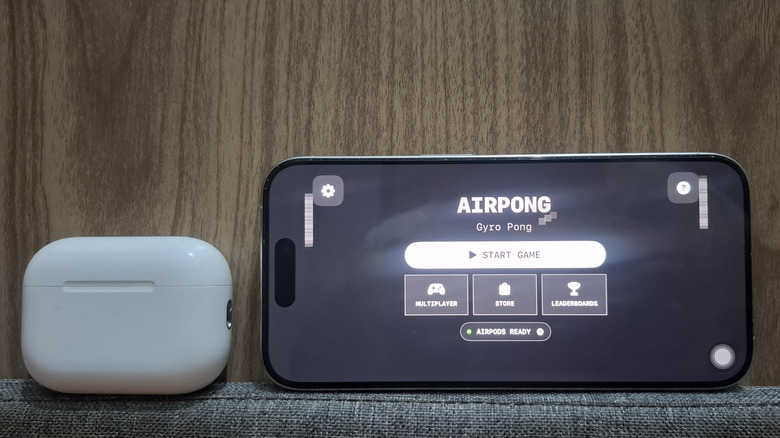
There are instances where you're bored out of your mind — maybe while waiting at the airport, in a long queue at the supermarket, or in the hotel lobby before check-in. During those times when you want to be entertained without doomscrolling on social media, AirPong Motion has you covered. It's a basic ping-pong game with one paddle on each side of the screen and a bouncing ball in the middle. The goal is to keep the ball in play as long as you can.
But instead of touching the screen to move the paddle, you have to control it with head motion while wearing compatible AirPods. The AirPods track your head movements and adjust the paddle position accordingly. Sure, it seems easy enough, but the added challenge of guiding the paddle with just your head is what makes this free iOS game interesting. The control will take some getting used to, and as the game progresses, the speed increases too.
AirPong Motion lets you play by yourself or with another player. As you play, you can rank up on the leaderboard and earn achievements. Beyond gameplay, AirPong Motion offers customization options, too. It includes free colored themes to choose from. You can even change the paddle color to your liking.
How we came up with this list

In putting this list together, we focused on apps that either require AirPods to work or offer features exclusive to AirPods. We included a mix of practical, fun, and utility apps to highlight the many clever ways you can use your AirPods. We also made sure that most of the apps are well-received, with at least 4.2-star ratings on the App Store.