

11 Essential Galaxy Watch Apps You Should Install In 2026
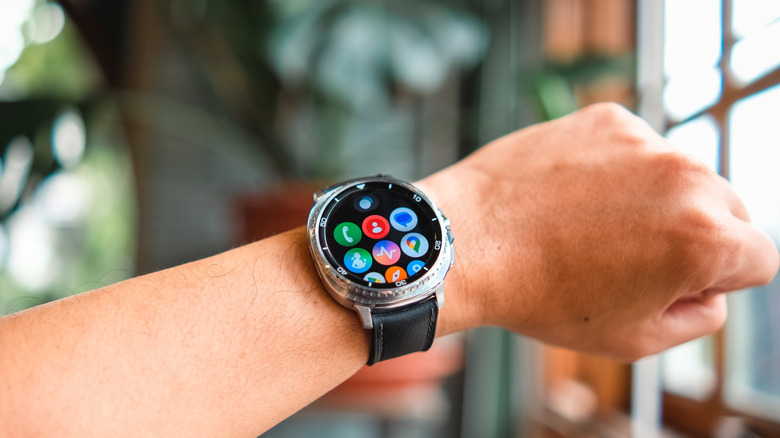
Samsung's Galaxy Watches have a lot of great features already built in, from the usual workout detection system to handy gestures. Out of the box, your Galaxy Watch will also come with first-party apps like Samsung Wallet, Music, and Weather to get you started. However, to get the most out of your fancy new Wear OS companion, there are plenty of other great apps worth paying attention to.
On any Galaxy Watch, you can simply visit the Play Store and browse through the thousands of apps that fit your needs. Unfortunately, not all of them are worth your time — some are poorly optimized for Wear OS, while others don't implement offline features well. To help you avoid these frustrations, we've rounded up Galaxy Watch apps that work well on the wrist and help solve real problems. Whether you have the latest Galaxy Watch Ultra 2 or something older, like a Watch 6 Classic, these essential Galaxy Watch apps will help improve productivity, navigation, fitness, and more.
Strava
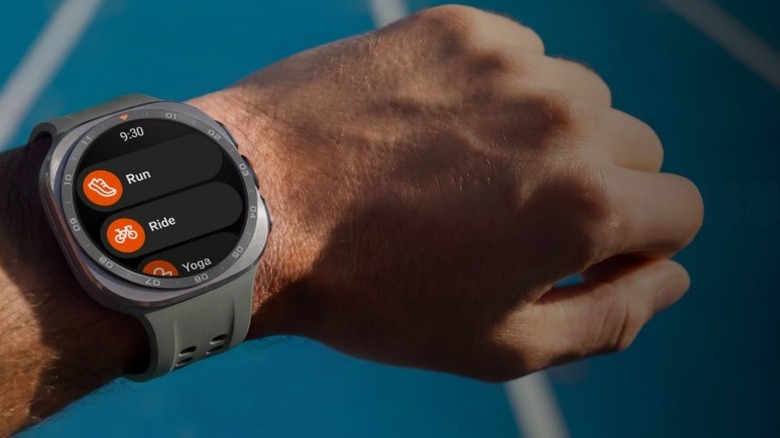
Strava is an essential Wear OS app no matter what Android watch you own, but its integration with Galaxy Watches deserves some extra attention here. For the Galaxy Watch 9 series and the Ultra 2, Samsung is giving out 60 days of Strava's subscription. On top of that, Strava Routes — custom routes you can make for running, hiking, or cycling — will be natively integrated into the Samsung Health app on the Galaxy Watch 9 series and the Ultra 2.
The good news here is that even if you have an older Galaxy Watch, Strava still works great. It can use your watch's built-in sensors to record activities like cycling, running, gym workouts, and more. It records and presents all your stats in a clean fashion, meaning you don't have to reach for your phone when you're moving around. All your activities sync to your Strava feed, with a summary of stats that you can share with your friends. The Wear OS version of Strava also supports Beacon, a feature that lets you share your live location and send quick emergency texts to certain contacts.
Alltrails
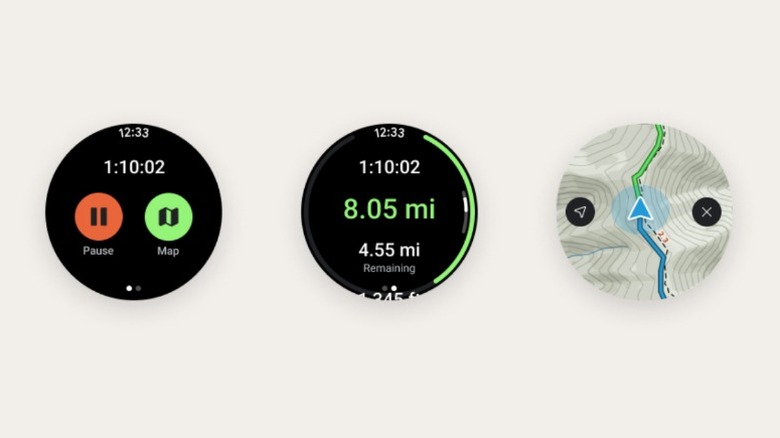
AllTrails on the Galaxy Watch is built for hikers who want navigation and stats on their wrist. Straight from your watch, you can search for nearby trails, get a view of your stats, and look at a map so you don't lose your way. You can quickly pause, resume, or end your trail adventure, and a handy green completion ring will show you how much progress you've already made. If your Galaxy Watch lacks cellular connectivity, offline maps are also available, but the feature is locked behind a subscription.
It's important to remember that the Wear OS version of AllTrails is not a health tracker. The app will help you find trails and navigate them, but for recording burned calories or heart rate, you'll need to rely on your Galaxy Watch's built-in workout sensors. This is a bit of a shame, as the Apple Watch version of the app can display heart rate and pace.
Spotify
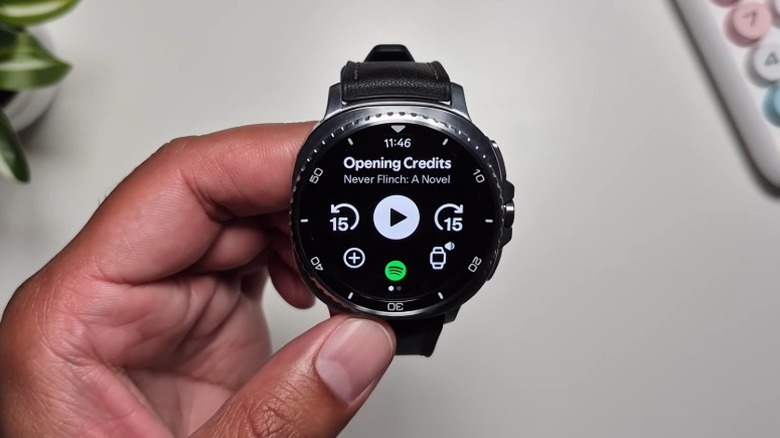
Apple Watch owners benefit from the excellent integration of Apple Music, but Spotify isn't that far behind for Galaxy Watch owners. Earlier this year, a design update improved a lot. Album artwork and playback controls look better, a discovery section lets you access your library or search for new music, and you can also manage your queue with a button at the bottom of the playback screen.
If you have Spotify Premium, you can also download your favorite songs and podcasts to listen offline. As long as your Galaxy Watch has LTE or you have some tracks downloaded, you can listen directly from the watch without ever reaching for your phone. This is obviously helpful when you're working out or if your phone isn't in reach. You can also add any new songs you listen to directly to your Spotify library by using the Like feature. Spotify Connect also works straight from the watch, allowing you to switch to your phone or laptop with ease.
Google Keep
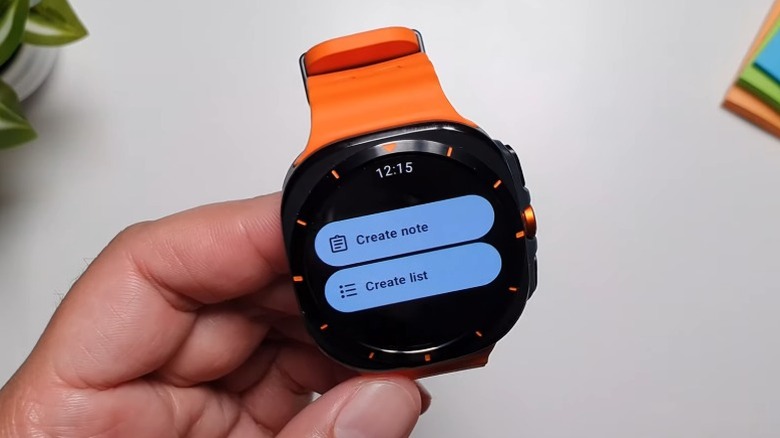
Google Keep is already a great Android app for productivity, but pairing it with the Wear OS version on your Galaxy Watch makes it even better. For starters, all your notes sync automatically with your phone, and you can add new ones straight from the watch app. Of course, typing on a tiny watch screen is no easy task, which is where the voice-to-text input proves its worth. Voice input is also a real convenience when you quickly want to record ideas while in the middle of other activities.
Adding a Google Keep tile to your watch face gives you faster access. From the tile, you can easily create a new Note or List without digging through the full app list. The Wear OS app received a noticeable design update in 2025 with a cleaner layout, larger buttons, and a more readable note view. It's still a relatively simple experience, but that's also what makes it useful and easy to interact with on the wrist.
Shazam
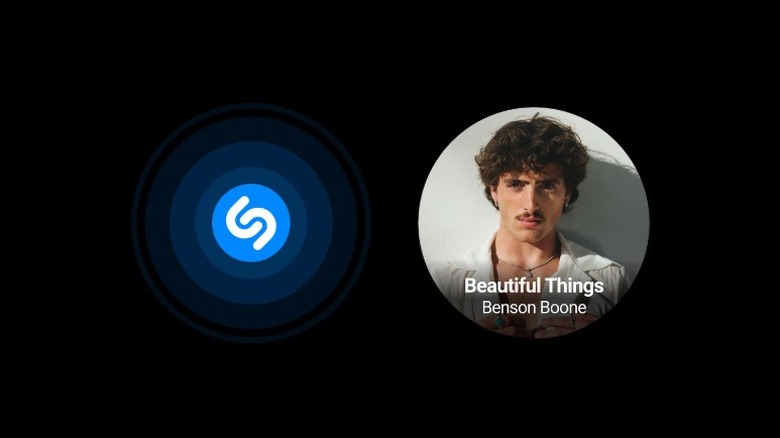
Shazam's Wear OS app received a major update in 2024 that made it actually useful on its own, and to this day, that update remains one of the main reasons to keep the app installed on your Galaxy Watch. Shazam on Wear OS operates independently from your phone, meaning it uses your watch's microphones to identify the song. Just launch the app, tap the Shazam logo, and the watch records a short clip of whatever song's playing around you.
The best part is that even if you're offline at the moment, it holds onto the clip until it finds an internet connection. After Shazam recognizes the track, you'll see the title, artist, and album details right on your wrist. Everything naturally syncs to your phone or any other device signed into your account, so you can easily go through previous songs you used the app for.
If you're out on an errand without your phone in your pocket, or just don't want to waste your time pulling out your phone at the gym or café, Shazam definitely deserves an instant install on your Galaxy Watch.
Smart Caddie
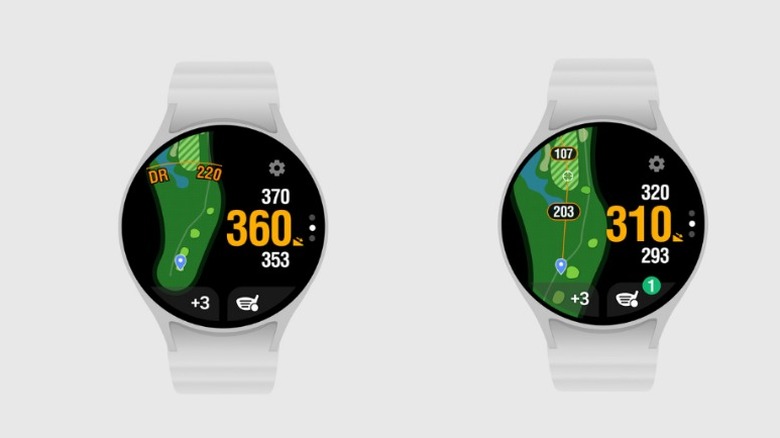
Smart Caddie is designed specially for golfers who prefer to leave their phone in the bag and still have all the info they need on the course. It's synced with over 40,000 courses worldwide, and each of them is satellite- and aerial-mapped. As such, the distances you get are not just rough estimates. The maps keep you updated about any hazards or other key points on the course, providing you with an actual rangefinder-style view.
The app also handles course targeting, shot tracking, and scorecard input, so you're able to log a full round without constantly pulling out your phone after every hole. It also includes a touch of personalization, with a choice of watch face themes. For intermediate golfers who don't want to pay the hefty price for a dedicated handheld rangefinder, Smart Caddle is a decent substitute that's present on your wrist. But of course, it can not replace a full GPS device for serious competitive play.
Audible
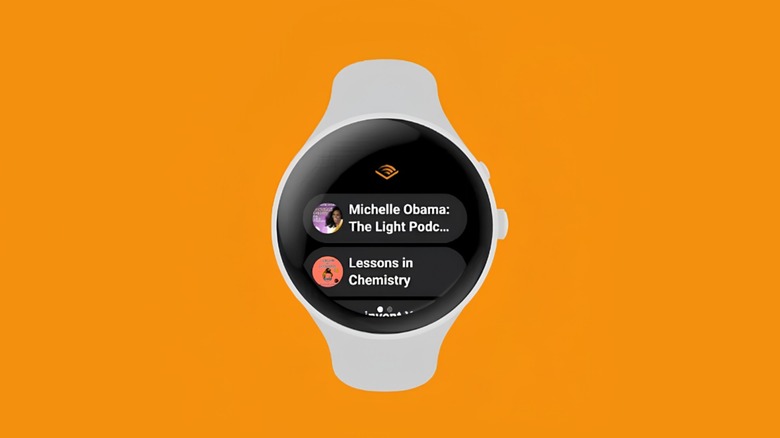
The Audible app allows you to listen to audiobooks without your phone tagging along. This Wear OS version of the app lets you select and download titles from your library for offline playback. This matters the most at times when you don't want to waste mobile data on walks or commutes, or when an internet connection is simply unavailable.
All the playback controls are handled on the wrist, including narration speed adjustment. You no longer have to pull out your phone when you want to slow down on an important chapter or speed through something repetitive. And while the app works well, keep in mind that listening to an entire audiobook straight from your Galaxy Watch won't do wonders for battery life. Streaming or listening to downloaded audio drains your battery way faster than passive use, so it's better suited to shorter sessions like a workout or a quick grocery run.
Wear Casts
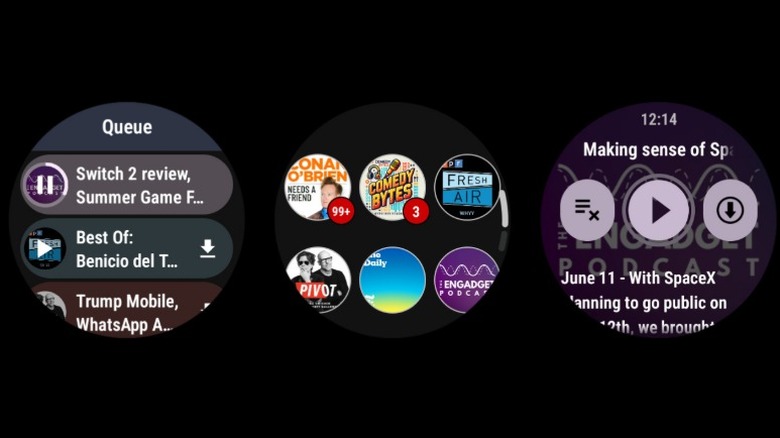
Wear Casts stands out among the other apps in this list, as it isn't another companion app, but an independent podcast player designed specifically for Wear OS. You can easily browse, download, and stream episodes straight from the watch without any external input. The app also lets you create playlists and notifies you of new releases from any podcasts you follow. There's also an auto-download feature that ensures your Galaxy Watch always has the latest episodes ready to go.
For an area with shockingly limited options on Wear OS, Wear Casts performs its duty well. Other Wear OS podcast apps require a phone to be nearby, so having an app that treats your Galaxy Watch as the primary device changes the game for people who can't carry their phone everywhere. However, much like Audible, keep in mind that extending listening directly from your Galaxy Watch will affect battery life. Still, it comes in handy if you only use it when your phone's not with you or is hard to reach.
Citymapper
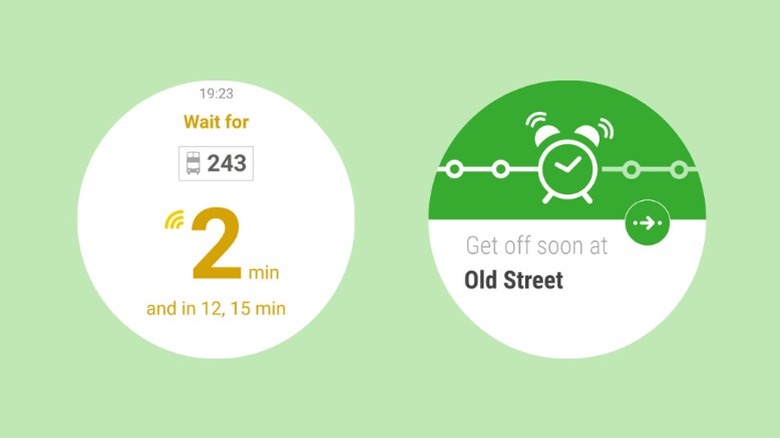
If you live in a busy city and frequently use public transport, Citymapper is one of those apps that can make commuting easier. The Wear OS version of the app shows live transit directions and step-by-step guidance on your Galaxy Watch. Citymapper can give directions on how to get to a bus stop, provide you with an estimate of arrival times, and even let you know when to get off. The app works for various modes of transport, including buses, trains, and trams.
If you start a trip from your phone, directions and other info automatically sync to your Galaxy Watch. Unfortunately, unlike Google Maps, Citymapper doesn't work everywhere. You can view the full list of cities it's available in here, and you'll find that while many major cities are covered, it's mainly major metropolitan areas and select urban regions. But if it does cover your city, you get to view various options for traveling straight from your wrist.
Todoist
Todoist is one of our favorite free Apple Watch apps, and the Wear OS version is just as good. The app has a simple menu that lets you add a new task or scroll down to view your inbox, upcoming tasks, labels, and more. You can add a new task by simply typing it in, but we recommend tapping the mic icon and using your voice instead. Todoist incorporates natural language processing, meaning if you say "Dinner at 3 p.m.," it will automatically set that exact time and remind you when the task is due.
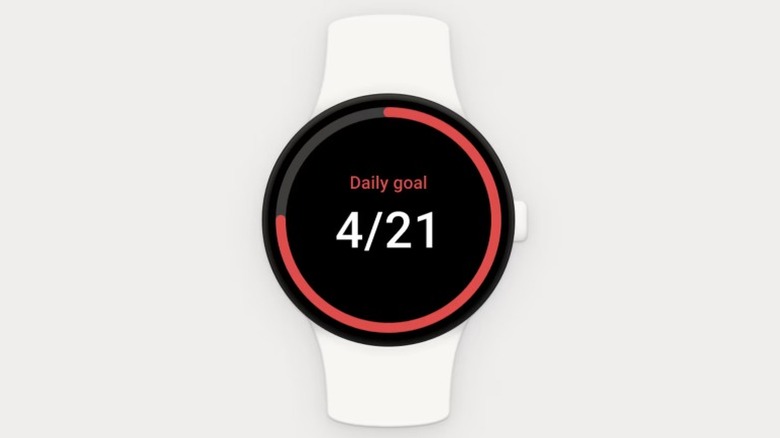
Go-getters will also appreciate the day progress tile, which simply shows how many of your required daily tasks you've completed. Todoist also supports Wear OS complications, such as the daily goal complication with a progress bar or a day summary one that shows your next task. The Android and desktop apps go much deeper, with support for attachments, Kanban boards, and comments. You won't get these features on your Galaxy Watch, but if you create weekly tasks within a deeper project, you can get reminders for when those tasks are due.
SmartThings
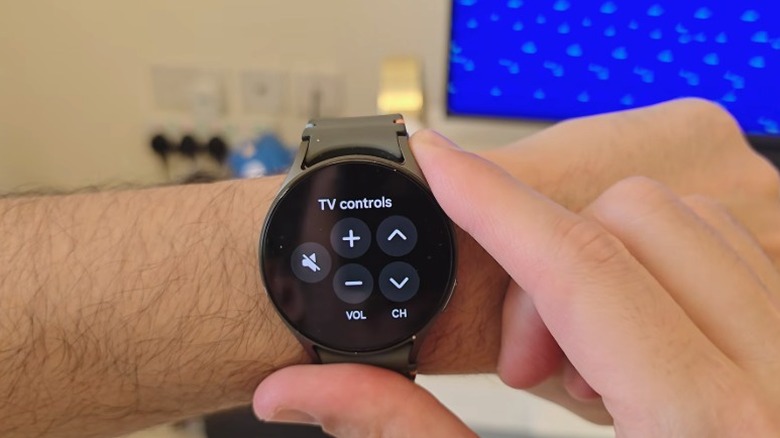
If you have smart home devices connected to the internet, SmartThings is incredibly useful on your Galaxy Watch. In case you're unfamiliar, SmartThings is Samsung's smart home platform — similar to Apple's HomeKit or Google Home — that lets you control lights, TVs, speakers, air conditioners, robot vacuums, and other compatible devices from one place. On your Galaxy Watch, the app focuses more on quick control rather than full setup.
You can view the status of devices you've marked as favorites on your phone, turn them on or off, and run scenes (pre-set routines) with a couple of taps. Supported controls include adjusting TV volume and channels, changing light brightness or color, setting air conditioner temperature, and starting or pausing a robot vacuum.
Methodology
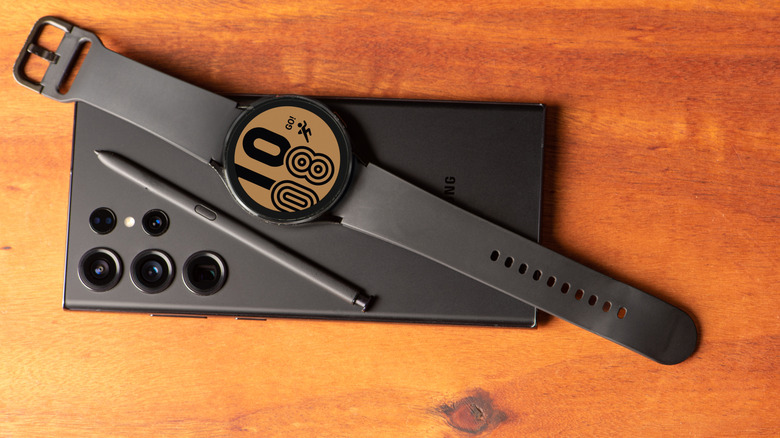
When rounding up these essential Galaxy Watch apps, we made sure to only include apps that offer meaningful features on the wrist rather than just being basic companions to their phone versions. For example, Spotify is a well-optimized and fully featured experience that works incredibly well even without your phone in reach. Our primary focus was on apps that help improve fitness tracking, navigation, media control, and enable quick tasks like note-taking, as these are actions best suited for smartwatches.
Apps that are pre-installed or only offer minimal watch functionality were mostly avoided unless they still deliver clear value. Maintenance and new features are important, so we only included apps that are regularly updated by the developer. Availability and Wear OS support were checked through the Google Play Store. To round out our opinion, we relied on expert input and independent testing from well-respected sources such as Android Authority, Android Central, and The Verge, as well as community feedback from Galaxy Watch users.