

4 Apps That Can Work Differently On Foldable Phones
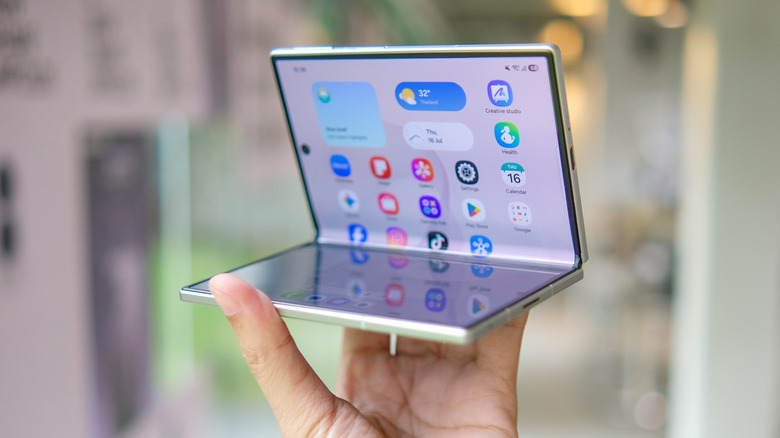
Foldable phones have come a long way from the original Samsung Galaxy Fold, and everyone from Google to Samsung to Motorola is offering high-quality and polished foldable devices. Although the best foldable phones haven't reached mass market adoption as traditional phones, they have emerged as excellent devices for anyone who likes to enjoy the latest and great tech or wants to get the most out of a handy mobile device. App developers have also jumped on the foldable bandwagon and are offering experiences that really take advantage of the extra screen real estate in a foldable phone.
If you're planning to buy your first foldable, here are some of the most useful apps that don't simply scale their regular phone user interface to fit on a foldable phone and instead deliver a more curated and seamless experience. We picked these apps after considering feedback from experts as well as foldable owners.
Smart Launcher
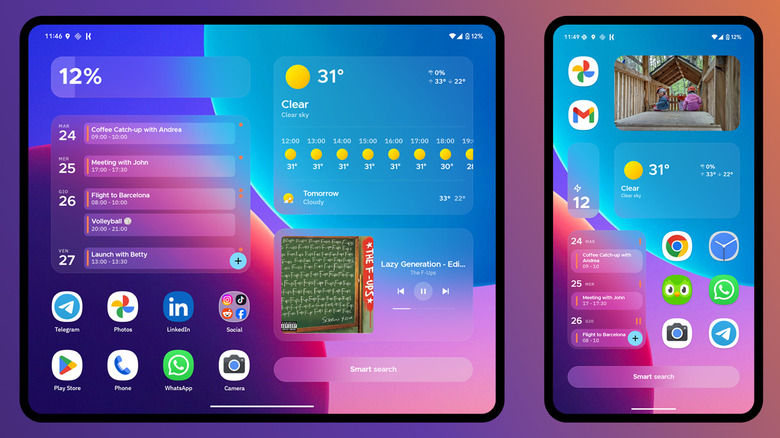
The home screen setup on a foldable phone can be tricky, particularly on non-flip foldables, as you have two independent home screens to tackle — the outer display and the inner, primary screen. Smart Launcher handles both seamlessly. It gives you the choice to set up different home screen layouts for both of your screens so that you can efficiently organize your app shortcuts and widgets. If you don't want to go through the hassle of two layouts, you have the choice to stick with the same layout for both home screens.
Besides its foldable-specific independent layouts, Smart Launcher offers features like color matching with your wallpaper, a modular structure for better control over your home screen, automatic app sorting, its own responsive widgets, built-in search, built-in RSS-based news reader, folder colors, and much more. Most importantly, Smart Launcher is free to use. However, there is an optional premium upgrade to get additional features, like extra widget pages, a black mode for OLED screens, and folders on app pages.
Moon+ Reader
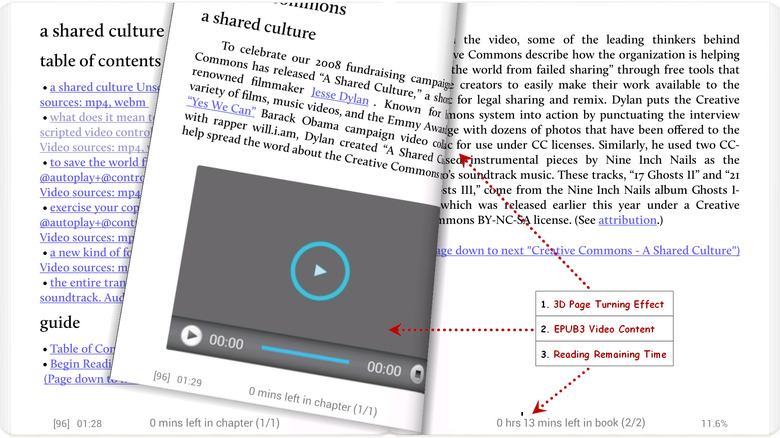
If you have a solid offline e-book collection and are looking for an app that works seamlessly on your foldable, Moon+ Reader is a good option. Many folks like to use it to read comics or manga, as it works seamlessly. It also packs tons of formatting options, but more importantly, it comes with a two-page view that leverages a foldable's wider inner screen to give you a book-like experience. Essentially, your foldable's crease will act like your book's spine, and you can simply swipe the pages, just like in a book. The app's page flip effects further add to the experience, simulating reading an actual book.
Other highlights include support for themes, turning pages via volume buttons, multiple scroll modes, and a reading ruler, like on the Kindle app. The one notable issue with the free version of the app is advertisements. Fortunately, if you don't want to deal with ads, the app developer offers a pro version, which has a one-time cost of $12. If you have the Google Play Pass subscription, you can get the pro version for free. Another thing to keep in mind is that you can only use Moon+ Reader with DRM-free content.
Clip Studio Paint
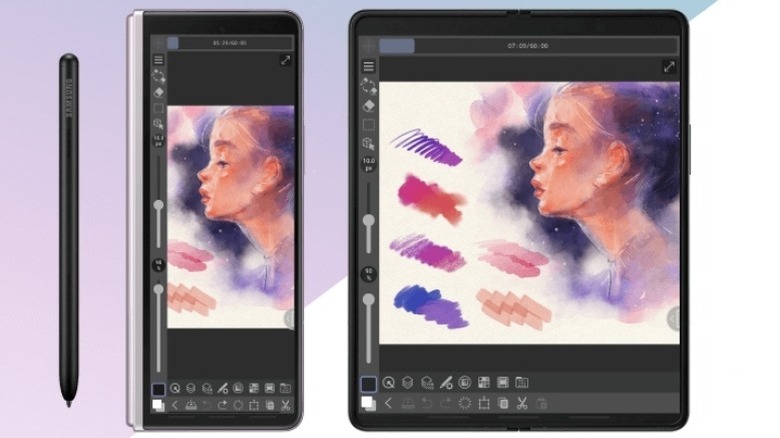
Clip Studio Paint is one of the few apps that comes with explicit settings for foldable smartphones to deliver a seamless experience. It's a digital art and comic creation app that allows you to draw with customizable brushes, paint in layers, build animations, and much more. While it typically offers a compact, simple 'smartphone' interface on the cover display, you get a tablet UI with a desktop-class experience on the larger inner display. You can also tweak the settings to force a particular interface if you want. It's generally well-liked by users, who appreciate its feature set.
Remember, while Clip Studio Paint is free to download and comes with a free trial, you'll need an appropriate plan to export your artwork and get access to all the features. Even on your foldable, you'll need a tablet plan if you want to enjoy the tablet UI on the inner display.
YouTube
YouTube is one of the most popular apps you can find on any smartphone. Traditional smartphones get the standard user interface with full-screen video view in landscape and smaller video view in portrait mode. However, Google has optimized YouTube well for foldables, and the app officially supports Samsung's Flex mode. In Flex mode, YouTube snaps the video to the top half of the screen, whereas the comments, description, and timestamps live on the bottom half.
When you're using your foldable with the inner display completely unfolded, you are greeted with a responsive tablet layout that keeps recommendations to the right, a large video view on the left, and a comments section preview and channel/video information below the video. Opening the comments section replaces the recommended videos with comments while the video view remains as is.
The YouTube app also supports seamless switching between the cover and the primary display, which means when you are watching something on YouTube on the secondary screen and you unfold the primary display, the video will effortlessly move to the inner display.
How we selected these apps
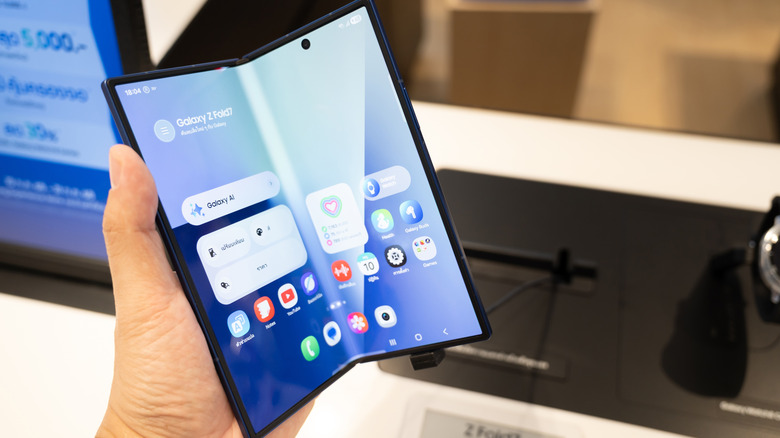
While choosing the apps that are capable of delivering a truly different experience on foldable phones, we looked for apps that have been officially optimized to suit the needs of foldable devices or are flexible enough to deliver a seamless experience across both displays. We refined our search to focus on well-rated apps that have received positive feedback either from users or experts. All our recommendations are available via the Google Play Store and can either be downloaded for free or at least offer a free trial to experience the app before needing to pay for the premium version.