

DJI Osmo 360 Review: A High-End 360-Degree Camera
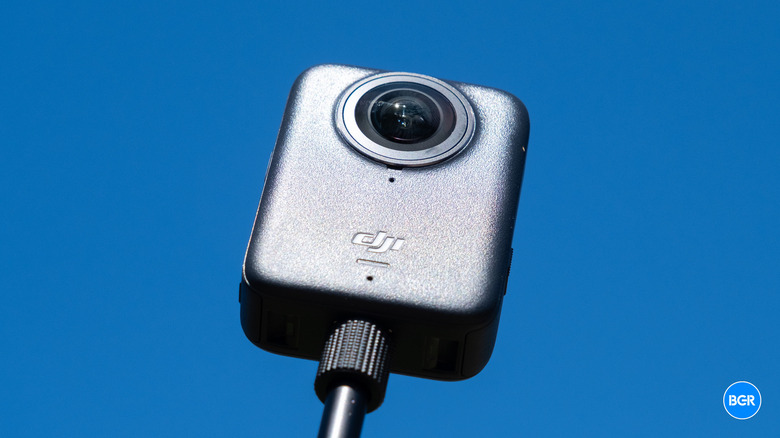
DJI has spent more than a decade building some of the best drones, gimbals, and action cameras — but others have taken the lead in some niches you would expect DJI to win, like 360-degree cameras. Finally, DJI has launched its own consumer-facing dedicated 360-degree camera in the form of the DJI Osmo 360.
It's essentially a hybrid imaging tool, serving as a 360-degree capture device for virtual reality and other immersive content while doubling as a capable action camera when you need traditional, flat footage. That's an ambitious pitch for a first-generation product, and it lands DJI directly in territory that Insta360 and GoPro have spent years carving out.
Of course, there are plenty of competitors in this area already. The most obvious include the likes of the Insta360 X5, which sits at roughly the same price, along with the GoPro Max2. That said, on paper, the DJI Osmo 360 is the most capable consumer 360 camera yet. The question is whether the first-generation hardware quirks undercut all that ambition.
Design
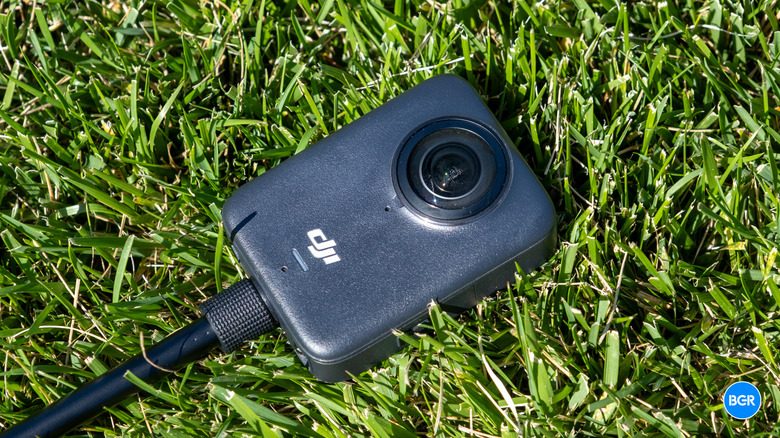
The DJI Osmo 360 offers a slightly different design than other 360-degree cameras. It doesn't follow the tall, stick-like profile that's become Insta360's signature. Instead, it's shorter and more brick-like, with a wider screen. It measures 61 × 36.3 × 81mm and weighs around 183 grams. For context, that makes it slightly lighter than the Insta360 X5, which weighs around 202 grams, and a touch taller and narrower than the GoPro Max. The wider screen gives it a more camera-like feel than most 360 competitors, which helps when you're holding it with one hand.
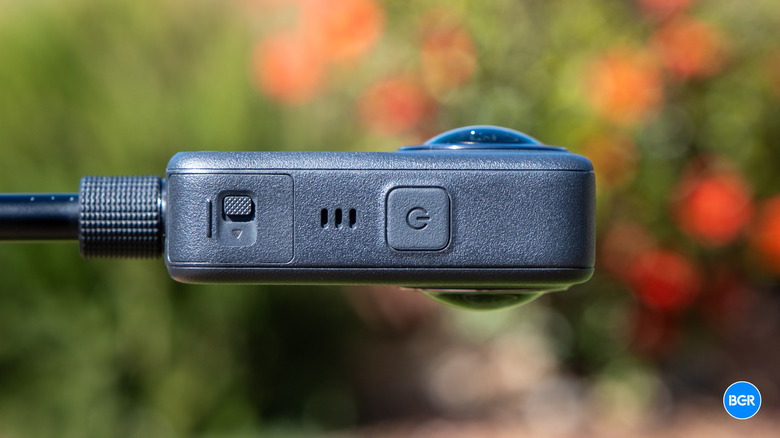
On the front of the device, you'll find one of the two cameras. On the back are the second camera and the display. Interacting with that display involves pressing the square and circle button directly underneath it. On the left side, while looking at the screen, you'll find a small door that houses the battery compartment and microSD card slot. On the right side is a similar door with a USB-C port and a power button.
Relatively unique is the fact that you don't actually have to use that microSD card slot if you don't want to. The camera has 128 gigabytes of storage built right into it, and over 100 gigabytes of that is usable. In other words, if you forgot your microSD card or you forgot to grab one when you bought the camera, you'll still be able to start filming right away. I really appreciate this, as it's enough storage to hold a good amount of footage at 8K. If you transfer footage regularly, you might never need to worry about getting a microSD card in the first place.
It has solid build quality, which is important for use as an action cam. It's IP68-rated, which means it's dust-tight and can be submerged in water up to 10 meters without a separate housing, provided the battery door and USB-C port cover are properly closed.
The catch is, unlike some other models, the lenses are not user-replaceable, which means that if you scratch or crack the glass, you'll have to send it back to DJI for servicing. When you're buying a camera that's built specifically as an action cam, that can be a tough pill to swallow. It's also a departure from other recent Insta360 models, some of which do have user-replaceable parts.
I'm reviewing the Adventure Combo, which comes with a series of accessories that you can use with the camera. There's a selfie stick, which extends pretty far thanks to its telescoping design. There's also a battery charging case with three batteries, so you can keep two extras charged up as needed. Finally, there's a small carry bag for storing the camera, and inside that bag, you'll find a USB-C cable and a tilting adapter mount.
Display and software
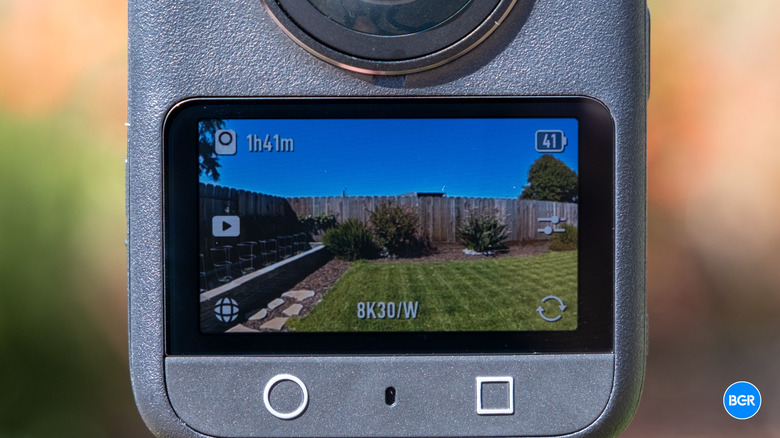
The Osmo 360 is built around a high-brightness, landscape-oriented OLED touchscreen, and it works well. The wider aspect ratio might make the software experience feel more natural for some, but regardless, I generally found the software to be easy to navigate.
The interface is fast and responsive, too. From the main screen, you'll be able to see a view of whatever you're shooting, along with buttons to access different settings menus dotted around that screen. You can easily jump into a menu to do things like configure motion blur, change shooting modes, and access recorded footage. You'll also be able to see status indicators, like the battery level. Swiping down shows you quick settings, while swiping up lets you change the resolution and frame rate. There's a lot packed into the software, but you do get used to it relatively quickly. And if you've used a DJI action camera before, you'll feel right at home.
The camera also has some hands-free software features. The camera supports voice commands and gesture control, plus a "Twist Shot" feature where twisting the selfie stick twice starts recording — useful when the camera's mounted out of reach on a pole.
On the mobile side, the Osmo 360 connects to the DJI Mimo app over Wi-Fi 6 for live view, remote control, and editing. Mimo handles reframing 360 footage into flat video, lets you set keyframes and choose perspectives, and exports in 16:9, 9:16, or 1:1 for whatever platform you're publishing to. There's also an AI-assisted Editing Assistant that analyzes a clip and suggests reframed edits with subject tracking, which is useful for casual users who don't want to keyframe every pan by hand.
For more serious editing work, there's the DJI Studio desktop app, which functions as a dedicated environment for Osmo 360 footage. It's a multi-panel interface with source bins, a preview window, and a timeline, reminiscent of a simplified Final Cut. You drag clips to the timeline, rotate the virtual camera by dragging in the preview, set keyframes to animate pans and tilts, adjust warp and projection, and apply LUTs — particularly handy for D-Log M footage. It also exports full 8K spherical video for YouTube 360 and VR headsets.
Performance
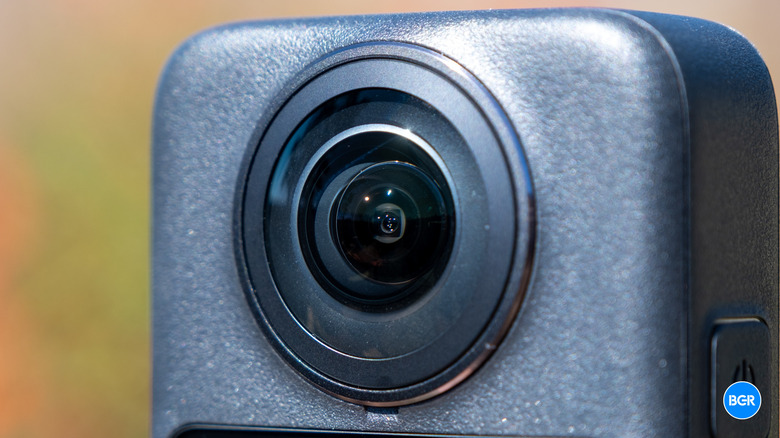
So, how does the DJI Osmo 360 actually perform when it comes to shooting? The camera has two square 1/1.1-inch CMOS sensors and can shoot video at up to an 8K resolution. DJI says that the square sensor design means that the vertical pixel count can reach up to 4,000, which is how the camera can reach 8K resolution (4K per lens). DJI also markets the camera as having "one-inch imaging," which is perhaps slightly misleading, as the sensors themselves are not one-inch sensors. Rather, the combined coverage of the two sensors is equivalent to a one-inch sensor.
Stabilization comes courtesy of DJI's RockSteady 3.0 and HorizonSteady, carried over from the Osmo Action line, and it's excellent. You can easily move the camera quite a bit and find that there's basically zero shakiness in footage. Horizon leveling works very well, even during fast movement, ensuring that recordings stay level no matter how you move the camera.
At 8K, you can shoot at up to 50 fps. If you go down to 6K, you can hit 60 fps, and it's possible to hit 100 fps for slow motion in 4K. If you record with one lens, you can get 120 fps at 4K. Of course, when you're recording at 8K, you might run into the device warming up a little. But I found that it was able to sustain recording for long periods of time without needing to shut down, which was a pleasant surprise.
On the whole, the footage looks very good. The camera is good at stitching the two lenses together, and I never found that I could easily see a seam unless I really blew up the footage and looked very closely. The camera also supports 10-bit color and D-Log M support, which is helpful for those who want to color grade their footage later. I found that dynamic range was generally very good, with highlights and shadows showing up nicely. Even low light footage still produces decent results. Low light recording perhaps isn't as impressive as you might find on a flagship smartphone, but it's better than what I've experienced from most action cameras in the past.
Audio is another pleasant surprise. The built-in microphones deliver clean voice capture and decent ambient spatial sound — more than good enough for casual recording, though serious creators will still reach for external mics. Thankfully, the Osmo 360 integrates directly with DJI's own wireless transmitters, so you can get clean audio relatively easily within DJI's ecosystem.
Battery and charging
The battery life on the DJI Osmo 360 is very good. The camera features a 1950 mAh battery. DJI claims it offers up to 100 minutes of continuous recording at 8K resolution and 30 fps. For the most part, I believe it. You can push the camera to eat up its battery quicker. Most will easily get through a casual filming session without having to reach for a second battery, especially if you don't record at 8K in the first place. The battery is also cross-compatible with DJI's other action cameras, including the Osmo Action 4, Action 5, and Action 6. If you already have batteries from those cameras, you now also have extra batteries for your Osmo 360.
The camera also has features to help you extend the battery life even further. For example, there's an endurance mode that allows the camera to reach 120 minutes of 8K recording. If you tend to record a lot of footage in one session, you'll still appreciate having the extra batteries that you get in the adventure combo. Regardless, you should expect to get more from a single charge on the Osmo 360 than you might from other action cameras.
Conclusions
The DJI Osmo 360 may be the company's first 360-degree camera, but you wouldn't be able to tell by using it. It's a refined, powerful action camera with a range of features that others simply don't offer. Plus, it gets the basics right, like battery life. You can record high-quality footage at high resolutions easily.
I do wish that the camera had user-replaceable lenses or lens covers, as it would make using it in rugged scenarios a little more comfortable. But if you don't anticipate this being an issue for you, then you'll love what the DJI Osmo 360 has to offer.
The competition
Perhaps the biggest competition to the DJI Osmo 360 comes in the form of the Insta360 X5. And it's tough competition. They cost roughly the same amount and both shoot 8K footage. The Osmo 360, however, supports higher frame rates at 8K and both a higher resolution and frame rate with flat single lens shooting. That said, the Osmo 360 doesn't have the replaceable lens covers that the Insta360 X5 has.
The GoPro Max 2 undercuts both at around $499, but the Osmo 360 heavily outclasses it on hardware specs, image fidelity, and ecosystem features. The slight premium buys you a lot. Unless you're already deep in GoPro's ecosystem or you prize ruggedness above all, the Osmo 360 is the better camera.
Should I buy the DJI Osmo 360?
Yes, if you're looking for a high-quality 360-degree action cam and don't mind spending the cash for it.