

Amazon Users Call This $10 USB Accessory A 'Perfect Solution'
We may receive a commission on purchases made from links.
Bluetooth provides an easy way to connect wireless devices like headphones, printers, and keyboards to your PC. Since it's wireless, you don't have to fiddle with cables, and that helps keep your workspace tidy. Unfortunately, not all PCs have Bluetooth functionality built-in. If yours doesn't have it, all hope isn't lost. As you'd expect, different problems you might face with your tech gadgets probably have a solution (or multiple solutions) — you just have to take the initiative to find one.
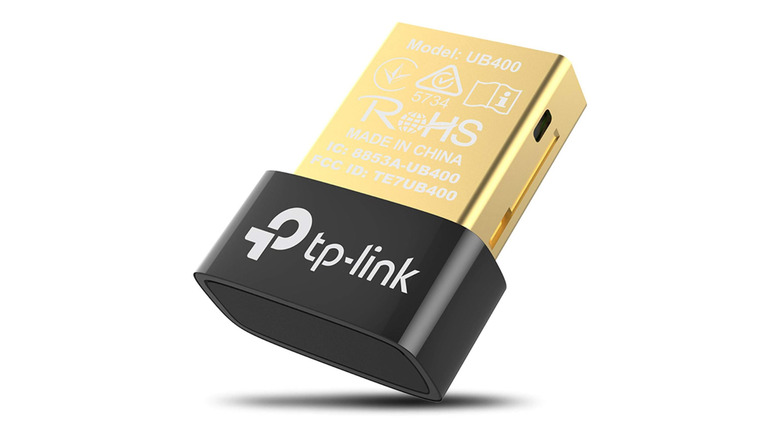
If your PC lacks Bluetooth support or the built-in functionality doesn't work, grabbing a Bluetooth adapter is the cheapest and most convenient way to add the feature to your device. If you're in the market for an adapter, you can consider TP-Link's USB Bluetooth Adapter for PC, as it's been praised by thousands of users on Amazon, with some saying it's the "perfect solution." It typically costs $12, but Amazon's price history feature (one of Amazon's handy features you should start using) shows it's regularly discounted to $10, or even lower.
As of this writing, this accessory has garnered an average rating of 4.4 out of 5 from 58,925 reviews. Most users who've purchased the gadget love it, with 72 percent giving it a 5-star rating. Additionally, the TP-Link USB Bluetooth Adapter has also earned the Amazon's Choice label, further proof that it's highly rated compared to alternatives and well-priced.
What TP-Link's USB Bluetooth Adapter for PC offers
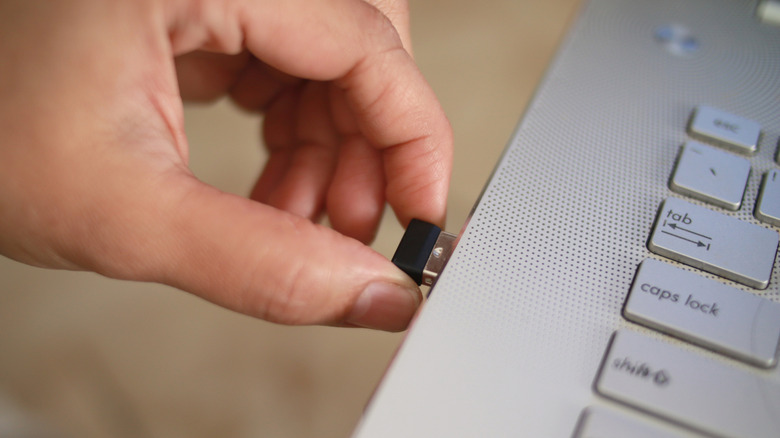
This USB adapter uses a traditional USB-A port to connect to a PC and is small in size, measuring 0.74 inches long, 0.58 inches wide, and 0.27 inches high. The adapter supports Bluetooth 4.0, which is a bit old at this point, as version 5 is already out and is much faster. However, you don't have to worry about that, because even if you have a device with Bluetooth 5.0 or later, you'll still be able to connect seamlessly thanks to backward compatibility. The adapter is compatible with Windows 11 as well as older versions of Microsoft's operating system, including Windows 10, 8.1, 8, 7, and even XP.
Unless your device runs Windows 7 or XP, TP-Link says that connecting this accessory is easy — you simply plug it into one of the USB-A ports, and you're good to go. For Windows 7 and XP, you'll need to download drivers from TP-Link's website first.
The company says it can transmit signal up to 67 feet, so you can connect to your PC or laptop and listen to music on your waterproof Bluetooth speakers for poolside fun or place your wireless printer in a separate room and still be able to print documents.
Why users love this USB adapter

If there's anything that makes this accessory worth considering, it's the user reviews. As mentioned, it boasts an average rating of 4.4 out of 5 from over 50,000 reviews. Users praise the adapter for its easy plug-and-play connection, reliability, durability, and compact size. One Amazon user says they've been using this USB adapter for slightly over three years, and in that time, it's still intact without any "physical or functional issues." They add that the connection has been stable with "no noticeable drop-offs."
Another Amazon reviewer calls this an "excellent investment" for anyone who wants Bluetooth functionality and praises how it's been a "perfect Bluetooth solution" for their conference room computers. The reviewer says that the device is easy to set up and offers a strong, stable connection with solid range, which has enabled them to move around without losing connectivity.
One reviewer narrates how their Lenovo Yoga laptop's Bluetooth hardware failed, and they really needed the functionality to hook up to their wireless headphones when attending online lectures. Instead of repairing the hardware, which could've been expensive, they got this $10 adapter instead, and was able to fix their problem in just a few minutes. While many users love this gadget, it hasn't been the same for everyone; that's why it doesn't have a perfect 5 out of 5 rating. Some have faced issues getting it to work on Windows XP, and others say the connection isn't reliable.