

5 Emergency Features To Enable On Your Android Phone Before It's Too Late
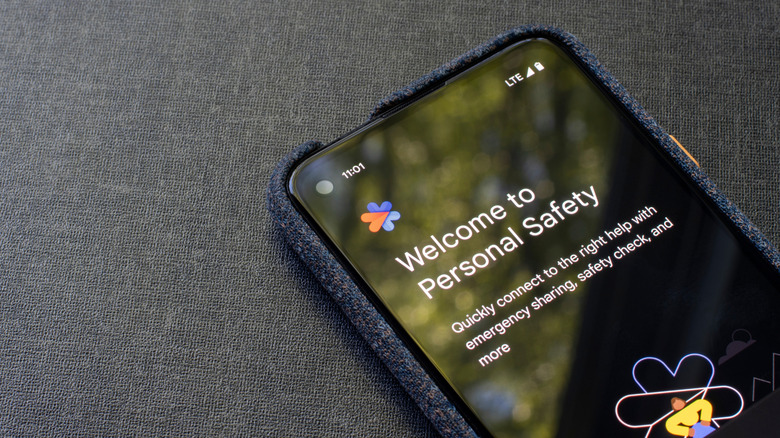
The interconnected world we can access with our smartphones isn't just for making it easier to send cat pictures to each other. Smartphones can also serve as a vital lifeline in a variety of emergency situations. Android phones in particular have several helpful emergency features, such as the Personal Safety app, the Emergency SOS system, and more — but they need to be enabled and customized beforehand in order to properly protect you.
The thing about emergencies is that you never know when and where one is going to crop up, whether it's a natural disaster or simply a bad fall when there's nobody around. Since you can't know exactly what kind of emergency responses you'll need to take until it's already happening, the best course of action is to prepare all potential avenues beforehand. In the case of your Android phone, this means checking out all of its emergency features, making sure you understand how they work, tailoring them with identifying information, and ensuring they've been enabled.
The Personal Safety app
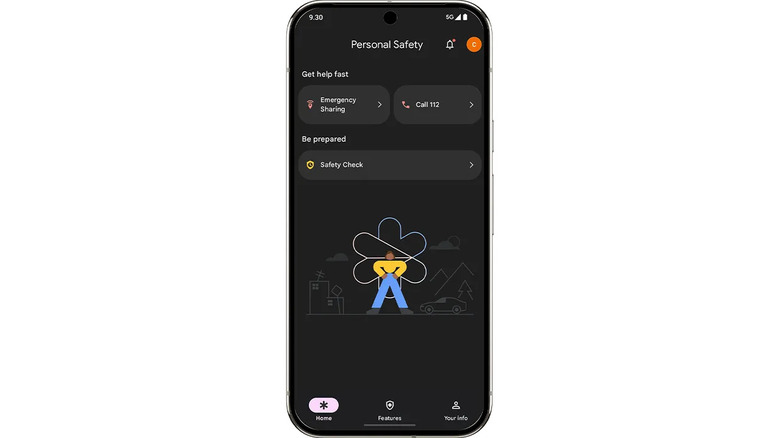
The foundational layer to Android's suite of emergency features is the Personal Safety app, also known simply as "Safety." It comes pre-loaded on most phones running Android 12 or later, though you can also download it from the Google Play Store for free. Personal Safety is meant to help you prepare for emergency situations by getting you connected to helpful information, as well as putting you in touch with emergency services should the need arise.
The Personal Safety app can, among other things, allow you to schedule safety check-ins if you're traveling somewhere potentially dangerous. You can also add important information like allergies and blood type for first responders to easily access, and you can set things up to where emergency contacts will automatically receive your location and status if you're in danger. Certain models of Android phones, like Google Pixels, have additional functionality through the Personal Safety app — namely, automatic car crash detection. Just remember that, for most of these features, you will need to have location sharing enabled on your phone, and in the case of car crash detection, you'll need to have an active SIM or eSIM in your phone.
Emergency SOS
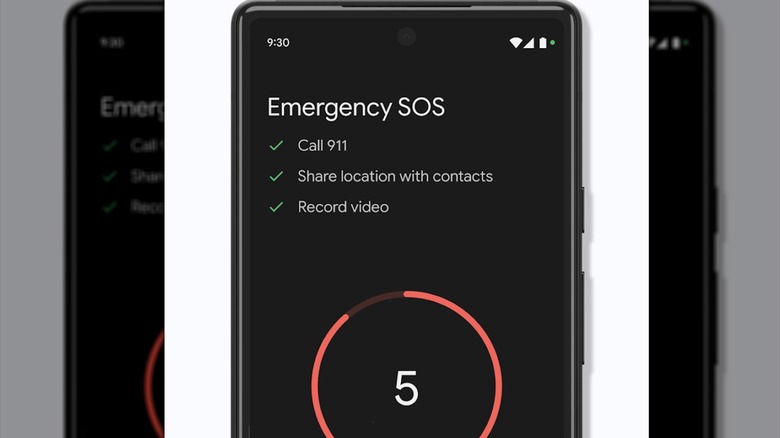
When you're in the midst of an emergency situation, you may not have the time or dexterity to perform a bunch of complicated inputs on your phone in order to get help. This is where Android's Emergency SOS features come in, allowing you to create a series of shortcuts for triggering several helpful emergency actions. Emergency SOS and its related features can be enabled via the Safety & emergency section of your Settings app, where you can run through a simple setup procedure to get it tailored to your needs.
Using Emergency SOS, you can set up a shortcut on your phone, like pressing the power button several times in rapid succession to immediately activate one of its functions. These functions include instantly calling emergency services, sending a location ping to your emergency contacts, and recording video. Video recording is an especially comprehensive feature, as any footage you record will be automatically shared to your emergency contacts and backed up to cloud storage, internet connection permitting. Just remember to use the recording feature responsibly, as recording individuals without their consent could violate privacy laws.
Crisis Alerts
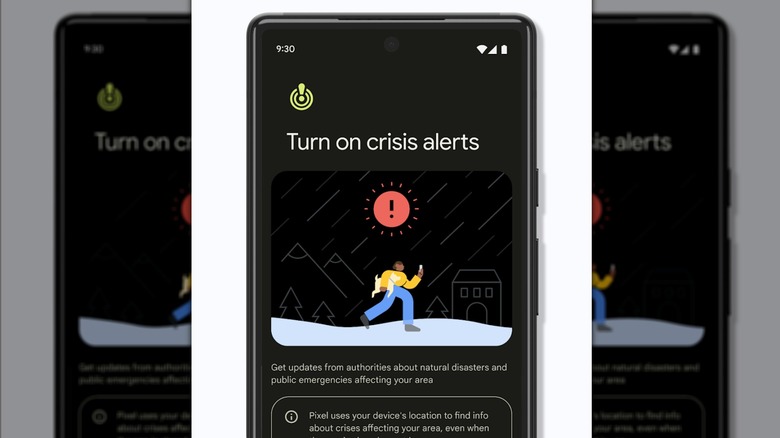
Information is an invaluable tool for protecting yourself against dangerous situations. We may not be able to predict the future, but even just a few minutes' warning of an incoming crisis can make all the difference. Luckily, many Android phones have the Crisis Alert feature enabled by default, though if it somehow gets turned off, you can turn it back on via the Safety & emergency section of your Android settings.
When Crisis Alerts are enabled, your phone will automatically send you alerts about dangerous situations near your current location, from natural disasters to severe weather. Google passively gathers information on impending danger using a combination of publicly-available sources like government alerts and local news feeds, as well as its own information-gathering efforts. If you tap on a Crisis Alert notification on your phone, you'll be brought to a Google Search results page where you can get more information on the situation and recommendations for safety procedures. Crisis Alerts are available in all countries and languages, so no matter where you are, you'll know when something dangerous is happening.
Earthquake Alerts
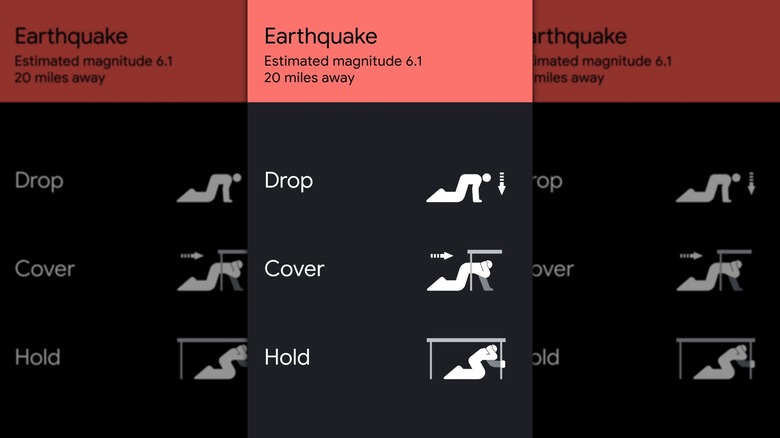
Earthquakes are among the most severe kinds of natural disasters, with the largest earthquakes ever recorded sending objects tumbling and damaging infrastructure. Because earthquakes are so dangerous, Google maintains an Earthquake Alert service on Android phones, separately from its broader Crisis Alerts, in order to ensure you get the most relevant information. Like Crisis Alerts, Earthquake Alerts can be enabled from the Safety & emergency section of your Android settings.
Google gathers information about imminent and ongoing earthquakes using a combination of data sourced from ShakeAlert and coarse locations of Android devices. Alerts can go out before, during, and after shaking begins, and include information such as the estimated epicenter, magnitude, and shaking intensity. Earthquake Alerts will also provide advice for hunkering down during an earthquake, including a diagram of instructions for finding cover. Earthquake Alerts are available in many countries, but in the U.S., only the states of California, Oregon, and Washington get data via ShakeAlert. All other states can still get alerts, but they rely more heavily on accelerometer data gathered from Android users' devices, and so magnitude estimates may not be as accurate.
Emergency Location Service
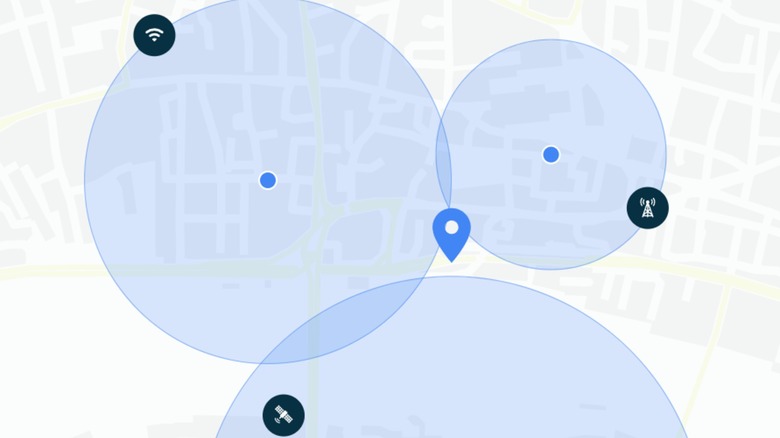
Whether you're experiencing a personal medical emergency or have found yourself trapped somewhere due to a natural disaster, it's absolutely imperative that emergency services be able to find you as quickly as possible. Every second counts in any kind of emergency, and the sooner first-responders can find you, the sooner you'll be safe. To aid in that process, you can use your Android's Emergency Location Service feature, or "ELS" for short. This can be enabled via the Location services menu in the Location section of your Android settings.
When ELS is enabled, any time you call or text emergency services, your current location will also be sent to first responders through an authorized channel to help them find you. It's similar to the real-time location-sharing available in Google Messages. This is particularly valuable if you're experiencing a health complication and can't clearly explain where you are. This system is only triggered when contacting an emergency number like 911 in the U.S. or 112 in Europe, with the location data only going to emergency services, not to Google. Your ELS signal may also send some relevant information to first-responders like your phone's selected language, which will help to ensure whoever they send can communicate with you.