

5 Essential Apps That Will Upgrade Your Smart Home Experience In 2026

A smart home is really only as good as the infrastructure running it. As we've covered before, better smart home upgrades can even save you money. While going after fancy technology and the latest lighting and automation gadgets can be fun and exciting, a simple app on your phone or computer can really take things up a notch. That's why we're highlighting a whole slew of our favorites for beginners and tinkerers.
Every app on this list is available currently and is compatible with a healthy amount of modern smart gadgets. Each app is also available on both iOS and Android, with many of them featuring web or desktop equivalents to expand their functionality. Finally, each app also must have received favorable reviews on their respective app stores, with healthy support from Reddit or review communities. This way, you can be sure that these apps will upgrade your smart home experience with a tried-and-true background.
Google Home
If you're considering a smart home app, then you may have some allegiance to a specific brand's ecosystem. For example, if you've got numerous Apple devices, the Apple Home app might be your first stop, despite its poor reviewer perception. But Google Home gets our nod in this category for a few reasons.
First off, many of the best smart home devices are made under the purview of Google, including the Nest thermostat and cameras, Chromecast entertainment devices, and the flagship Google Home speakers and display hubs. Google Home devices even got some exciting new functionality in May 2026. Google Home's connection to Google software services means that the company's smart home app works capably on Android or iPhone, giving it impressive cross-platform functionality. The clean user interface, zoning and grouping options, and the easy integration with Works with Google Home certified devices, make this all-in-one app an impressive tool that only a company as connected as Google could really nail.
Home Assistant
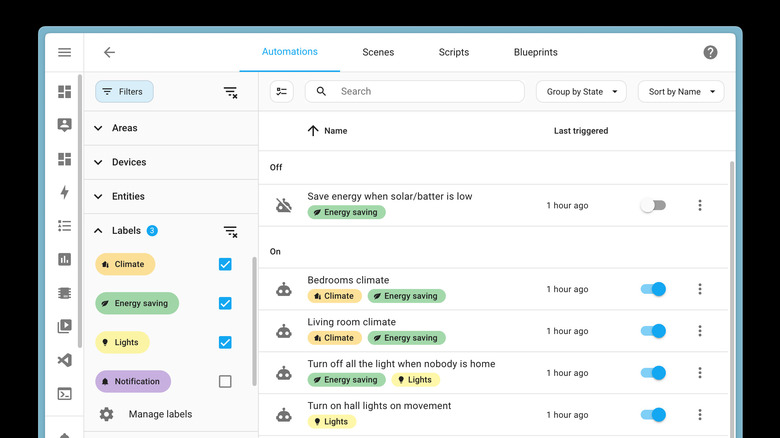
While most smart home devices you'd purchase probably come with their own app, it often means they also come with the need to subscribe to a service or use that company's cloud servers to handle your data. This makes things more convenient, but it also means you're reliant on a third-party company. If you're someone who wants to host your own local, server-operated smart home, then the gold standard is Home Assistant.
This community-supported app is an uber-powerful smart home sanctuary that has hundreds of add-ons and integrations from most of the top smart home brands. This means you can pull all the devices you may already own together into one interface. The automations and community-sourced hacks are also quite impressive, allowing for cross-brand connections that wouldn't be achievable without this Swiss Army knife of an app.
Of course, Home Assistant isn't for the faint of heart when it comes to the tech side. The app requires you to have a server of some sort to host everything, or you'll need to subscribe to a virtual server. Then you'll have to get into the weeds and program your server to speak to all the devices you have. There's a vibrant community of hobbyists and hackers here to help, though, and in the age of AI, chatbots can help you to find answers to most questions. It's pretty doable with a little patience, and gets you your own, private smart home server that's local, safe, and decidedly yours.
IFTTT
One of the best functions of any smart home app is its ability to automate your life based on behavior and how your home actually operates. While many first-party home control apps (such as Google Home) offer automation functionality built right in, that's often limited to the ecosystem of the app itself. Expanding simple automation control to diverse apps from multiple manufacturers is exactly the goal of the IFTTT app.
The app lets you string together certain functions within supported services to trigger other functions from other services. The acronym actually stands for "If this, then that". It's a classic developer approach to cause and effect. For example, if you want to make sure that your TV always turns off when you turn off the smart lights in that room, IFTTT lets you cue smart lights in the room to trigger your smart TV to turn off once they do as well. Now you aren't just turning out a living room light — you're putting the room to sleep with one simple action. Expand this flexibility to other parts of your home, and you'll see how quickly your disparate smart home devices become truly collaborative.
Wyze
Wyze has quietly taken over a massive chunk of the smart home space. Some of the company's earliest products were surprisingly affordable, including a smart camera that many people love to tinker with. Users have used them as pet cams, security cameras, or even automation sensors. Today, Wyze covers a massive array of tech product categories that range from headphones and smart locks to robot vacuums and smart lighting.
Many Wyze products are pretty affordable, as the company spends much of its effort on dialing in software and app functionality. That varied landscape of products and compatibility is really where Wyze shines. If you go all-in on the Wyze ecosystem, you can have a fully fledged smart home all with the same brand.
The app isn't quite as modern or polished as Google or Apple Home, but its automations get pretty nifty, and the sharing and security features are quite customizable. Because Wyze isn't a massive business, you may feel like reliability isn't quite as obvious as some of the bigger players. But by sheer product offering, Wyze is a must-have for any smart home enthusiast
Homey
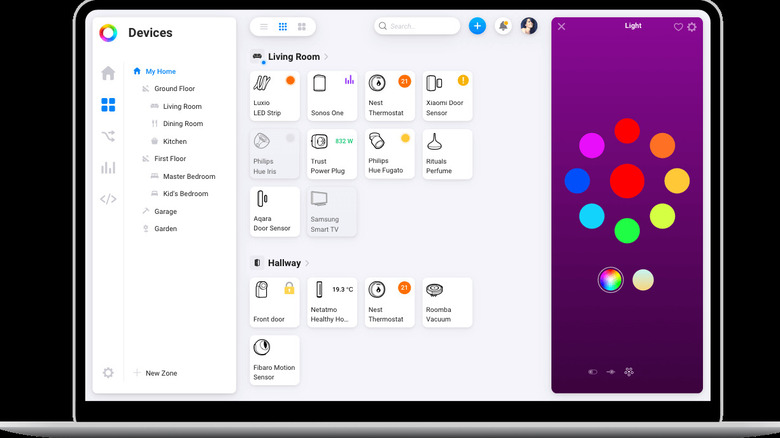
If Home Assistant is the open-community, tech-friendly solution, then Homey is the version that takes out all the tricky technical bits and makes it tap and go — for a price. Homey's pitch is essentially to give you that home server we mentioned before in a single package called the Homey Pro. It's essentially a small computer that features a variety of sensors and protocols built in, including Matter, Z-Wave, Zigbee, and more. You simply plug it in, fire up the app, and you can start connecting many of your smart home devices in one go.
Homey is admittedly pricey, with the flagship Homey Pro hub coming in at $399. If you want, you can pay a $2.99 subscription to get similar functionality, but you won't have all of the technical connection points we just mentioned. Within the app, there are instant pairing functions, a solid automation engine (Homey calls these automations "flows"), and an interface that feels familiar to the smart home devices you've paired to it. If you want a solidly customizable interface that's cross-platform and expandable — and you don't mind paying a bit for it — then Homey is an excellent choice.
How we chose these apps
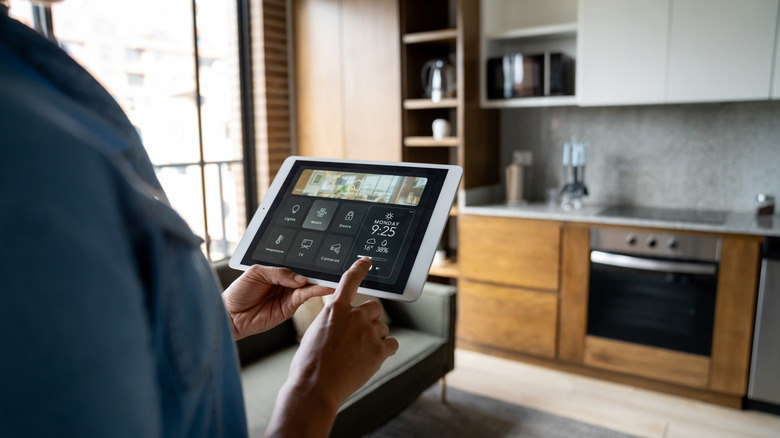
Choosing smart home apps can be a bit of a double-edged sword. On the one hand, most smart home devices come with their own apps, which will deliver a seamless experience for that specific device. However, what really unlocks a home that feels truly smart is getting control and automation functionality under one roof, in the same app. So most of the apps on this list are recommended for their cross-platform, or at least their many-device compatibility.
The other two key factors were to make sure each app is subjectively user-friendly. That means high-quality user interface design, an uncluttered experience, and plenty of functionality under the hood if you want to get nerdy about things. While we love reviewing clever smart home hacks that save money, to verify that our takes in this article aren't just subjective opinions, all five apps feature at least a 4-star aggregate rating on their respective app stores. This ensures that our opinion of the usability isn't just our opinion — it reflects that of the community.