

4 Of The Best Free Apps For Your Smart TV (That Aren't Streaming)

Smart TVs are now a staple in most modern living rooms. While they're a massive upgrade over older TVs that relied strictly on cable and offered little freedom over what you could do or watch, most people still underuse them, primarily sticking to streaming movies, TV shows, or binge-watching YouTube. However, smart TVs from popular TV brands can be more than just streaming hubs. With the right set of apps (many of which you don't even have to pay for), you can turn your TV into something that feels closer to a smartphone or desktop experience; only better, thanks to the bigger screen.
For example, you can use Analiti to check your Wi-Fi and internet speeds, Proton VPN to protect your personal data and prevent your smart TV from spying on your activities, myTuner Radio to enjoy international radio content without an antenna, and Quick Search Browser for TV to browse the web right from your couch. Together, they'll help you make the most out of your smart TV by bridging the gap between entertainment and genuine utility, all without having to shell out a single dime.
Analiti
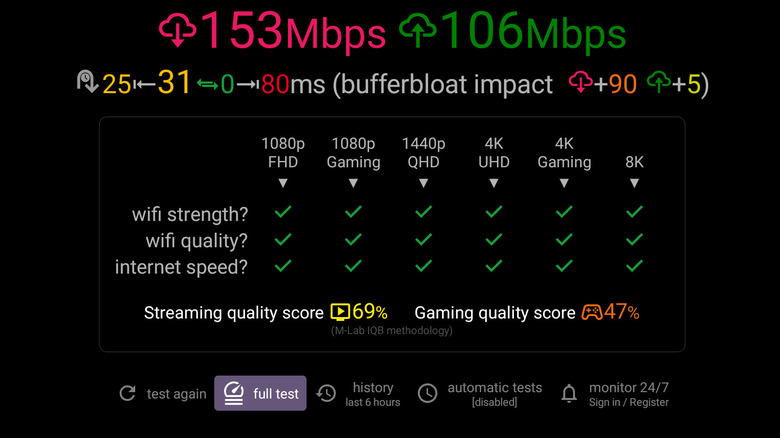
Analiti lets you monitor your smart TV's internet connection quality and troubleshoot connectivity issues. By letting you run quick download and upload speed tests, it helps you verify whether your internet service provider is actually delivering the promised speeds. While the app's interface and wide range of options can look somewhat daunting, especially if you're not tech-savvy, you can just stick to the basics.
For simplicity and to cater to new users, Analiti clearly delivers the most sought-after information right on its home screen through its basic speed test. It straight away gives you a streaming quality score and a gaming quality score, shown in a simple table, indicating whether your current Wi-Fi strength and internet speed are sufficient for activities like 1080p gaming, QHD streaming, 4K streaming, or even 8K streaming/gaming. For those willing to dive deep, Analiti offers a lot to play around with: You can check bufferbloat, packet loss, DNS response time, and even analyze your nearby Wi-Fi networks, including their signal strength.
There are also real-time graphs that track how latency changes over time. Analiti doesn't skimp on user experience either. It lets you choose between dark and light themes, switch distance units between feet and meters, shows little to no ads, and even allows you to export detailed scan reports in PDF format. You can also choose which screen the app opens to at launch, letting you streamline the experience based on your preferences.
myTuner Radio
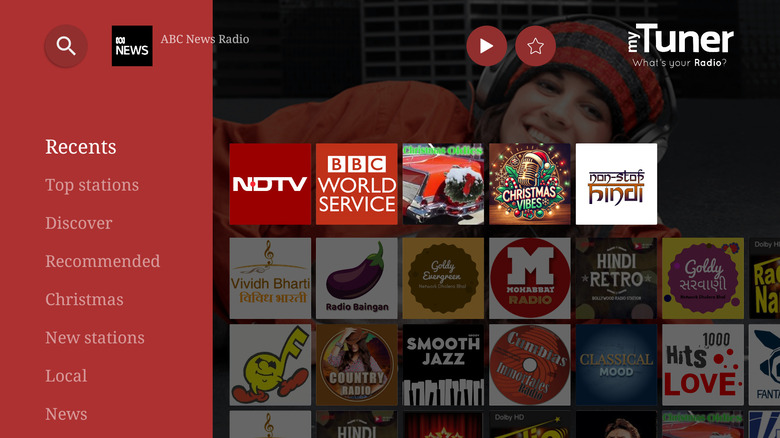
A radio may no longer be as cool as it once was a couple of decades ago. However, with myTuner Radio offering a vast list of international content on your smart TV free of charge, it's worth rediscovering radio on the big screen. Right off the bat, you'll be impressed by the app's simplicity. It neatly presents all the different sections it has to offer, including local recommendations, news, and podcasts, making it easy to find something to listen to without feeling overwhelmed.
Despite housing audio content from all over the world, myTuner Radio does well not to mix regions, with your feed curated specifically for the country you're in. That said, you don't have to worry about missing out on content from elsewhere, as the app includes a handy Preferences option that lets you change your default country.
When you switch countries, the app refreshes and serves up a new set of content based on that region. Once you start playing something, it continues even when you return to the app's main page, with a handy bar at the top showing what's currently playing and offering quick options to pause playback or add it to your favorites.
Proton VPN
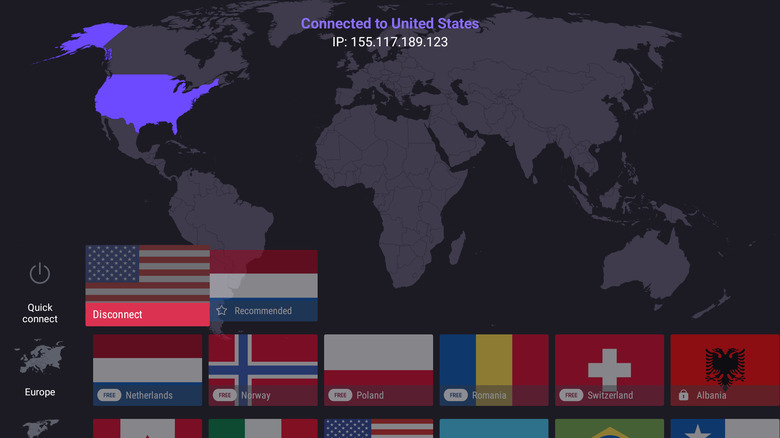
Your smart TV might not contain the same volume of personal data as your phone or computer, but it can still be targeted by malicious actors who can monitor your network activity, steal your data, exploit unsecured connections, or misuse exposed IP addresses. This is where a VPN comes in handy, as it encrypts your network traffic and hides your public IP address to safeguard you from prying eyes.
While the vast majority of good VPN services cost a pretty penny, Proton VPN is a rare exception. Its free version, although limited, still covers the basics, offering hundreds of servers across 10 locations worldwide, fast speeds, and most importantly, unlimited data — something that's virtually unheard of with free VPNs.
Proton's biggest selling point, however, is that it's one of the most secure VPNs on the market. It's headquartered in Switzerland, a country with no mandatory data retention laws, and follows a tight zero-logs policy that has been independently audited. Its free smart TV app also offers advanced encryption, auto-connect, a kill switch, and support for the latest VPN protocols, including WireGuard and OpenVPN. This is all alongside its proprietary Stealth protocol, which hides VPN traffic to help users sidestep VPN blocks in censorship-heavy countries.
Quick Search Browser for TV
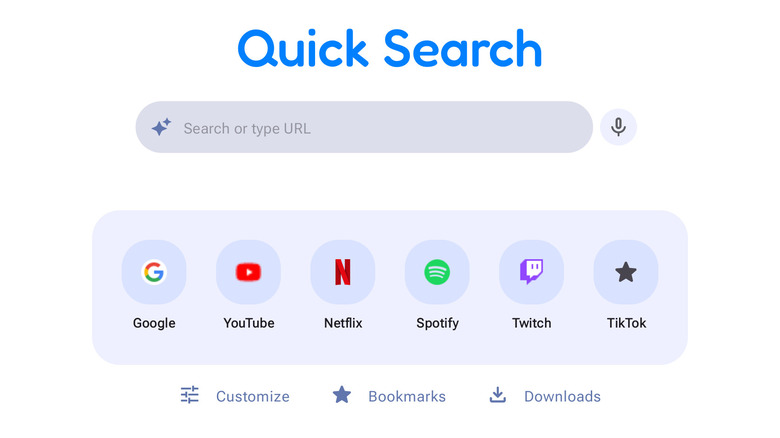
In our testing, we found that Quick Search Browser for TV works better than the likes of BrowseHere and Puffin Browser, thanks to its ability to keep things simple and not overwhelm users. If you're looking for a browser on your smart TV, you probably don't want it to bombard you with movie and TV recommendations, news, or AI-based search suggestions, especially when there are already dedicated apps for all of that.
Instead, Quick Search Browser opens to a clean, straightforward screen where you can either enter the URL you want to visit, or type in a Google search query. One standout feature is its built-in AI option, which lets you directly access popular AI chatbots like ChatGPT, Grok, Gemini, and DeepSeek, and interact with them much like you would on a phone or laptop.
For added safety, it also includes a simple but effective parental control feature that, when enabled, requires a PIN every time you access the app. This helps keep younger members of your household away from harmful content while still enjoying the convenience of a browser on the big screen. In the settings menu, it offers everything you'd expect from a typical browser, including options to bookmark tabs and clear cookies, cached images and files, and browsing history.