

Here's Which HDMI Port You Should Use For Your Amazon Fire TV Stick
We may receive a commission on purchases made from links.
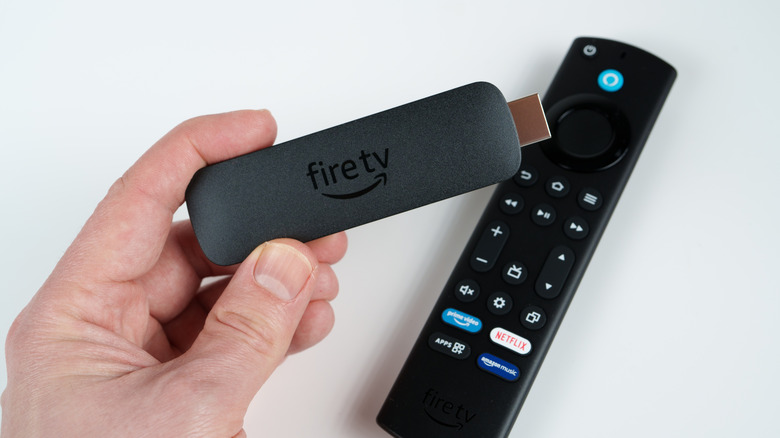
Streaming devices are an easy way to add entertainment apps like Netflix and HBO Max to a non-smart TV. And if you've been thinking about buying an Amazon Fire Stick for this purpose, know that prices start at $35 for the Fire TV Stick HD and setup shouldn't take more than a few minutes. With the exception of the Fire TV Cube, all Fire TV Stick products have a built-in HDMI connector, but not all HDMI ports are the same.
If you plan on adding more devices to your TV down the line, you should avoid plugging a Fire Stick into anything other than an HDMI 2.0 port, which is capped at 4K/60Hz resolution. This may sound confusing as most Fire TV streaming devices are HDMI 2.1-certified. However, no Fire TV streamer will output more than 4K resolution at 60Hz. HDMI 2.1 delivers up to 4K/120Hz resolution, making these ports a better fit for equipment like game consoles and gaming PCs that can take advantage of higher refresh rates.
The Fire TV Stick HD is capped at 1080p/60Hz, while the 4K Select unit boosts you to 4K/60Hz. The Fire TV Stick 4K Plus adds Dolby Vision support, alongside HDR10+, HLG, and Dolby Atmos. At the top of Amazon's Fire TV Stick range is the 4K Max, which increases storage space to 16GB, adds Wi-Fi 6E support, and includes the Alexa Voice Remote Enhanced. The Fire TV Cube mirrors the capabilities of the 4K Max, while adding an Ethernet port and an HDMI input.
HDMI 2.0 ports are perfectly fine for Fire TV streaming devices
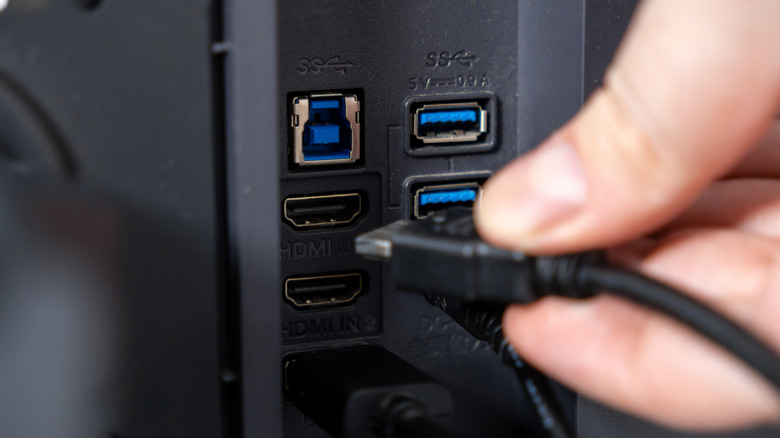
It's okay if your TV only has 2.0 inputs, because there are plenty of devices that still use HDMI 2.0 ports. But if it has HDMI 2.1 ports, and one of those is an ARC/eARC connection, you should avoid using this port for your Fire TV streaming device, and instead reserve it for audio equipment. ARC/eARC eliminates the need for multiple cables, as it can send audio data from your TV back into a soundbar or AV receiver using a single HDMI cable.
Even if you don't own audio gear now, were you to buy something that supports Dolby Atmos and DTS:X, HDMI ARC/eARC is required to unpack these premium surround sound codecs. Fortunately, many top-shelf systems also have built-in HDMI switching. With it, you can connect your Fire TV streamer directly to the soundbar or AV receiver and avoid plugging it into your TV's ARC/eARC port. It's worth mentioning that this information applies to most of the major streaming devices on the market.
Companies like Roku, Google, and Apple compete with Amazon's Fire TV series, and are typically also capped at 4K/60Hz. Here's an easy TL;DR takeaway: You can plug a Fire TV streaming device into an HDMI 2.1 port and it will work, but if you only have one or two 2.1 ports available, consider defaulting to an HDMI 2.0 port as the Fire TV Stick cannot take advantage of HDMI 2.1.