

Motorola XOOM Review
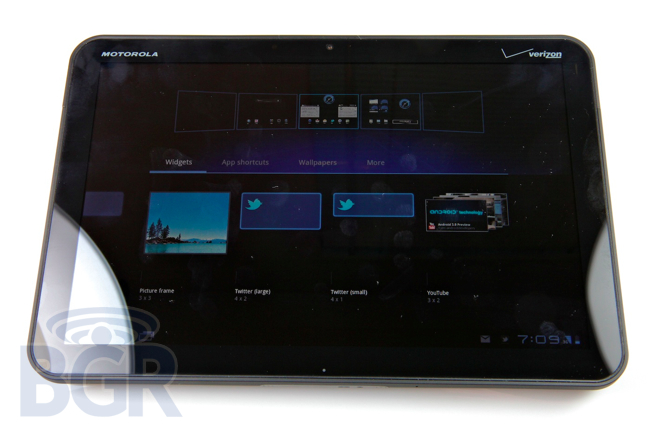
The Motorola XOOM isn't the first Android tablet, but in a way it kind of is the first Android tablet. It runs Google's latest OS designed exclusively for tablets, and the difference between Honeycomb and earlier versions of Android on a tablet is night and day. The XOOM is a beautiful 10.1-inch device powered a dual-core processor, dual cameras, loads of memory, and it'll soon be 4G-capable on the nation's most reliable network — who could ask for more? I've been testing the Motorola XOOM for a few days, and I've definitely put this sleek new slate through the paces. Hit the jump for BGR's full review.
Hardware / Design
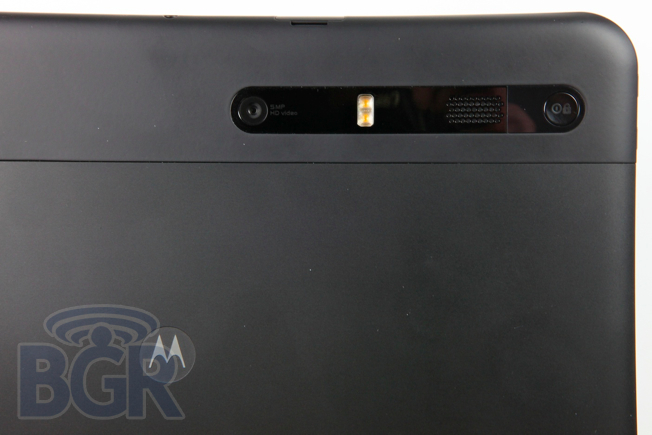
The Motorola XOOM is wrapped in high quality materials including soft-touch aluminum, Gorilla Glass and sturdy plastic, and it feels extremely solid. It's slightly (literally a few grams) heavier than Apple's iPad, though it feels a tad heavier because it's a bit thicker in the middle. What's very interesting about the XOOM, and most announced tablets that are running Google's brand new Honeycomb OS, is that there isn't a ton of hardware differentiation since all menu keys are now soft keys in the operating system. Motorola has definitely added some useful customizations to the XOOM, however. For example, I love phones that have LED notification lights and Motorola's XOOM does it up in style with a little glowing notification bar. It's a very small — maybe 1/4-inch — white strip on the top part of the right side, and it's awesome. In addition to the notification bar, Motorola has a "privacy indicator" (read: red LED) that lights up next to the front-facing 2-megapixel camera to let you know it's on.
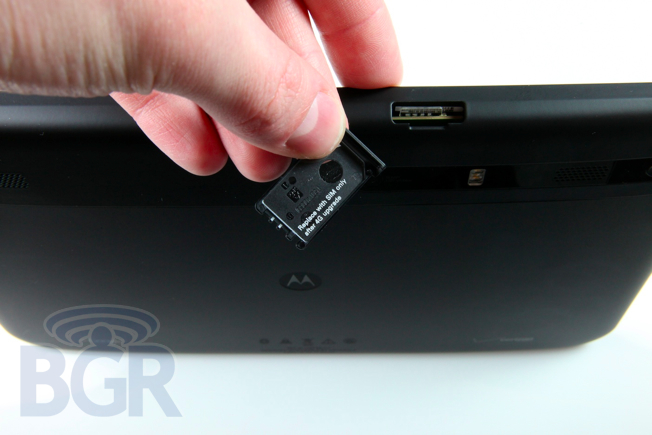
As far as specifications go, the Motorola XOOM zooms (sorry). It touts a spec brigade you could only dream of a year or two ago: a 1GHz NVIDIA Tegra 2 dual-core CPU, 1GB of RAM, a 10.1-inch WXGA 1280 x 800 resolution display, a 5-megapixel rear camera with 720p video recording, a 2-megapixel front-facing camera, HDMI 1.4 out, 32GB of built-in storage, Bluetooth, Wi-Fi, an accelerometer, magnetometer, gyroscope and even a barometer. The tablet also includes a microSD card slot, though it doesn't function yet. Motorola tells us it will be enabled with an OTA software upgrade at some point in the future. Additionally, the Motorola XOOM will be fully upgradable to 4G for free for all customers, but we're hearing users will need to ship your unit somewhere as opposed to walking into a Verizon Wireless store and having the upgrade performed there. This hasn't yet been confirmed, however.
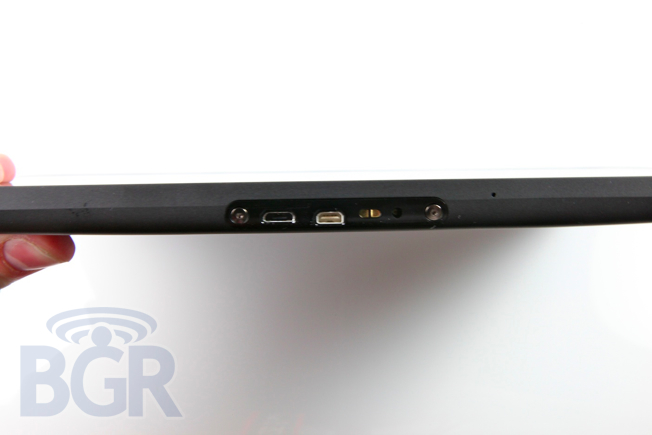
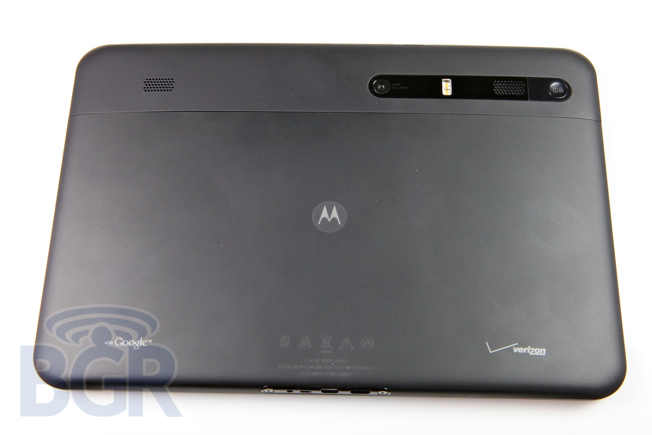
There are volume up and down keys on the left side of the tablet, a 3.5mm headset jack on top, a microUSB port, mini-HDMI out port, and... a charging port. That's right, the Motorola XOOM is unable to be charged via traditional microUSB chargers or USB, and requires it's own proprietary charger you have to lug around. The accessories that are available with the XOOM — such as the Standard Dock ($59.99)and Speaker HD Dock ($149.99) — will oddly charge the tablet through the microUSB port, however. The unlock / power on / off button is on the back of the device, and while it's not the end of the world and I was able to locate it pretty quickly most of the time, it's definitely not as easy as having it right in front of you.
Also of note, the battery on the Motorola XOOM is incredibly good. In standby mode, the tablet can go for days and days, and in my testing it came very close to matching the iPad in normal usage.
Random annoyance: in daily use, when picking up the XOOM, I can hear a weird clicking sound that comes from the back of the device. It's extremely faint, though worth mentioning because it's annoying. It's possible that it's just my review unit.
Display
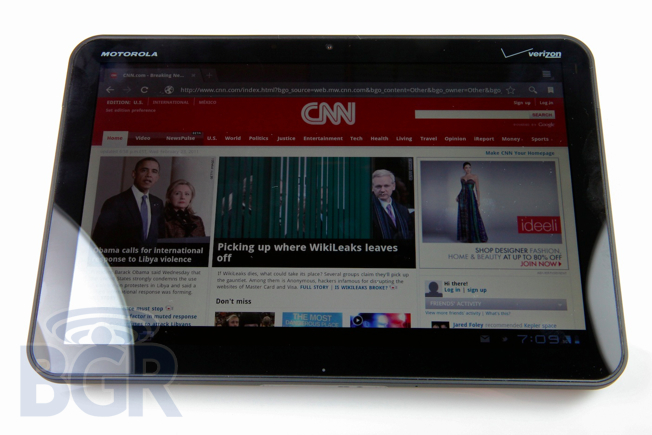
The Motorola XOOM's display is swathed in Gorilla Glass and is very bright (especially in manual mode; I noticed the tablet tends to err on the side of being too dim than too bright most of the time with auto-brightness enabled), and colors are rich. Text generally looks good, though pages rendered in the Web browser looked a bit blurry and unclear — and that includes photos as well as text. The touch sensitivity on the device was exceptionally good in my tests. It's responsive and very accurate. Motorola seems to be using a new capacitive layer that's different than the one it uses on its smartphones, and though we couldn't get a photo of it due to lighting (it's barely visible), you can faintly see little copper triangles overlaid on the display.
The black plastic bezel surrounding the display on the XOOM is a decent amount thinner than the bezel on an iPad, and while I like the idea of a thinner bezel, it makes holding the tablet in one hand pretty difficult due to the XOOM's weight and thickness. I'm not saying the XOOM is thick and heavy, I'm just saying that the limited surface area to grip with your thumb makes one-handed use a tad uncomfortable.
OS
You can almost think of Android 3.0 Honeycomb as a brand new operating system for all intents and purposes, though it does run existing apps pretty well. As far as the UI goes, it's dark and much more unified than any previous Android release. The home screen has five pages that form a sort of virtual wall of five boxes that are swipeable to the left and right. There's an ever-present Google search button and voice search button in the upper left corner, and in the upper right corner is the button to open the apps drawer along with a button to add app shortcuts, widgets, or change the wallpaper of your home screen.
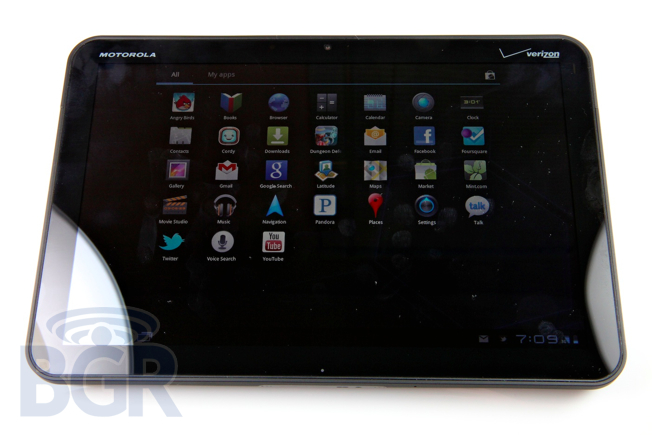
Navigation in the new OS is done exclusively using soft buttons that take a little getting used to. One plus is that they rotate with the display so they're always in the same position (the bottom right), though not everyone will be a fan of these, we think. There is one button that didn't make the cut in the transition to soft keys and that's the menu button. It's been removed because there is a menu button in the upper right corner in apps, and while it's a little strange at first, it definitely works as part of the tablet experience as a whole.
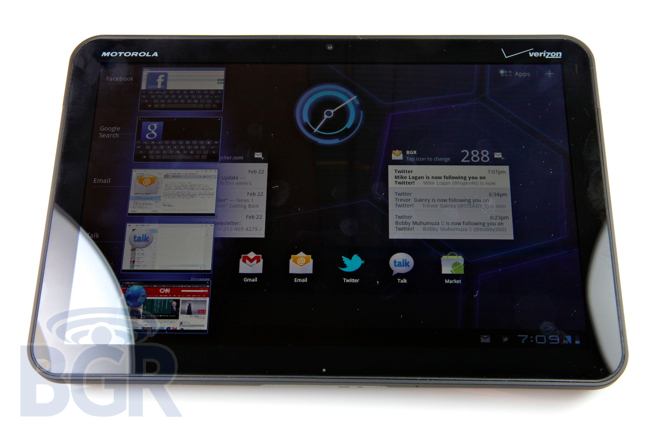
Gmail and other apps with the two-column layout look and work incredibly well, and are desktop-grade in my opinion. Switching to the browser, and well, it's pretty much like having a full-fledged Chrome browser on your tablet. Your bookmarks sync effortlessly, the browser renders pages very quickly. Adobe Flash support doesn't ship on the device, contrary to the XOOM's advertised specs, though it will be coming in the near future (10.2 instead of 10.1 in a couple weeks, most likely).
Notifications have been redone, and honestly, I'm a bit sad. I loved the drop down shade setup in Android, though I can see how it might not be that practical on a 10-inch tablet. Growl-like notifications now appear in the lower right corner of the device and will stack up on top of each other as they appear. Following each initial notification, messages then reduce to small icons that represent each message in the status bar. You can quickly get rid of notifications by tapping the "X" next to each one, and the remaining ones will fall on each other to fill any resulting gaps.
As much as Google's OS has improved, I still found the software a bit clunky to use at times — not because of a lack of processing power or RAM, but because it's not always as straight forward as alternative platforms. It's almost as if Google decided to try and pack as much in as possible to advance the tablet category forward, yet I;m not sure it has succeeded entirely. I want a tablet that's powerful and that works as it should with minimal effort, and I kind of feel like Honeycomb is a bit scattered for my taste.
Conclusion
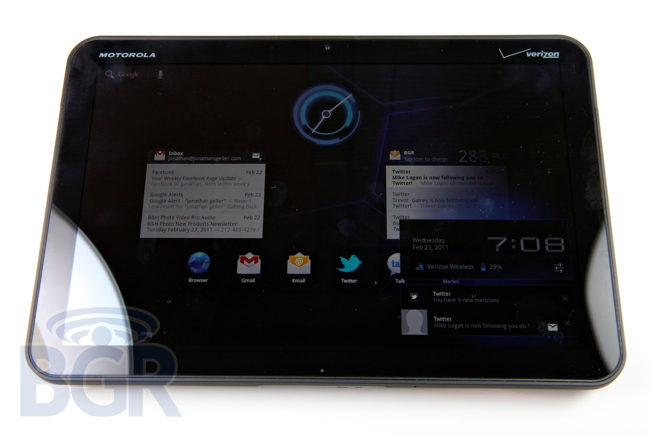
I'm not sure how much better an Android tablet can get right now — and this is the first one we've reviewed here at BGR. The Motorola XOOM packs a serious punch, and doesn't have room to store an ice pack. I love that Motorola has been pushing forward with innovate ideas and concepts, most notably with the ATRIX 4G, and the XOOM isn't an exception. It features great hardware, impressive specifications, and the latest Android OS designed just for tablets. There are many things to rave about with the XOOM, though there were some annoyances and frustrations that stemmed from Google's OS for the most part and not from Motorola's hardware.
Tablets are the new craze, and while they are selling, I personally still don't see a huge need to have a tablet. As a toy used to discover new and incredible apps, and to use for 20 or 30 minutes a day to read and catch up on Twitter or do some emailing, sure. But the XOOM definitely can't replace a laptop. I think that the Motorola XOOM is a great product, I'm just not 100% sold on Honeycomb at this point as an operating system. I don't believe it's very innovative, and I don't find it to be any better than alternatives in terms of ease of use, intuitiveness, or wide availability of apps. With that said, the Motorola XOOM goes on sale tomorrow in the U.S. for $599 with a two-year service agreement, and I'm sure plenty of people will thoroughly enjoy it despite the aforementioned shortcomings.